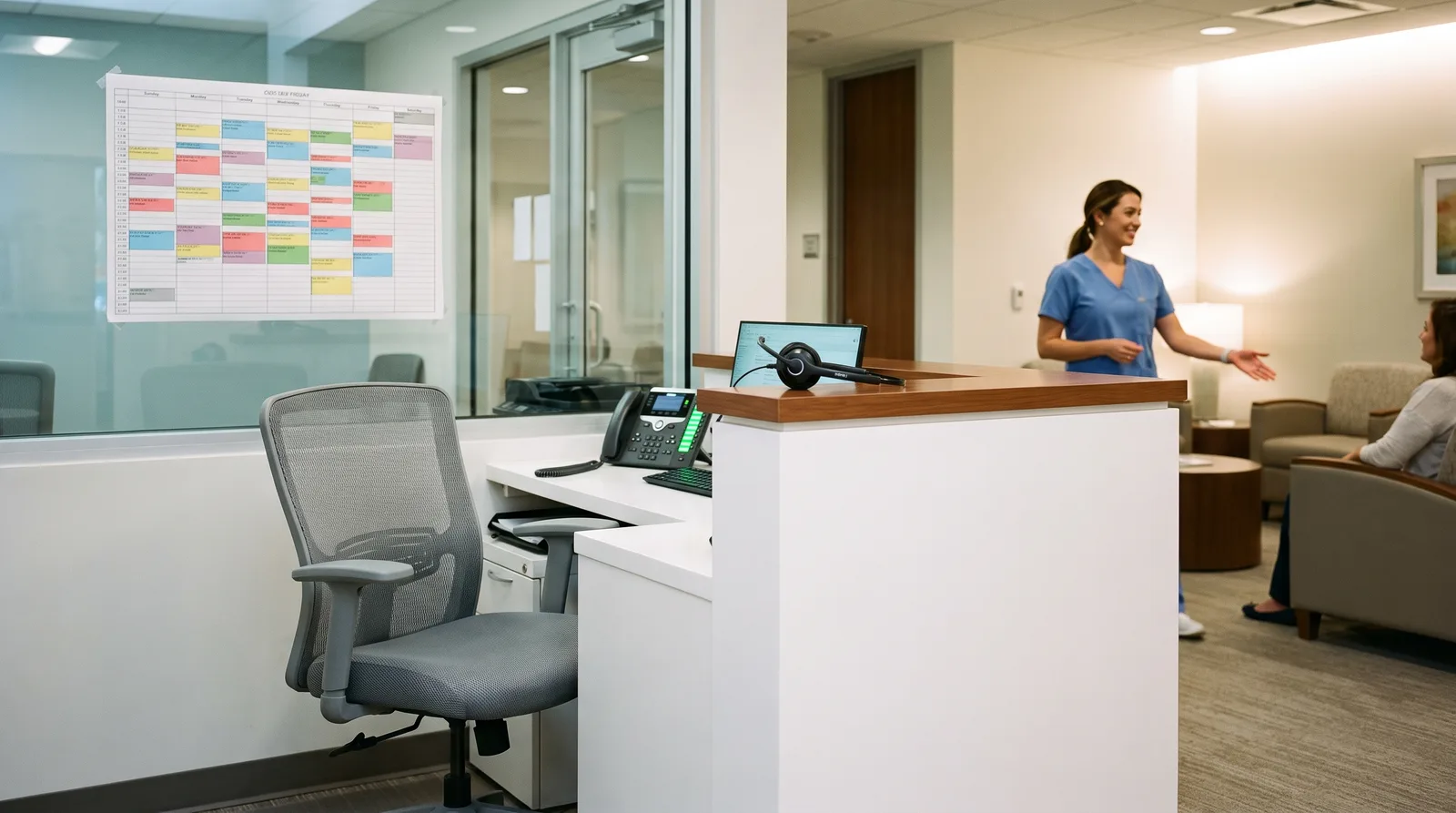
You have run the same job posting three times this year. The good candidates want more than the role pays. The ones who accept leave within eight months. And every time someone leaves, your practice runs on adrenaline for six weeks while you train a replacement.
If you run a dental practice, a law firm, a med spa, a clinic, or a home services company, this is not a hiring problem you can solve by writing a better ad. Front desk roles have become structurally hard to fill: the pay ceiling is limited by what the position produces, the work is relentless, and the same person is expected to greet patients in the room while the phone rings twice and an email demands an answer.
The most experienced owners have stopped trying to win this fight through recruitment. They have changed the shape of the job instead, so that the role requires fewer people, is far less punishing for the people who hold it, and no longer collapses when one person resigns.
What Front Desk Turnover Really Costs
Owners tend to think of turnover cost as recruiting fees and a few weeks of training. The real bill is considerably larger.
Revenue that leaks during every vacancy
When the desk is short-staffed, calls go to voicemail. New patient inquiries wait. Recall lists stop being worked. Treatment plans stop being followed up. For a practice where a new patient is worth hundreds or thousands of dollars over their lifetime, a handful of missed calls per day during a six-week vacancy is a serious number.
This is the cost almost nobody measures, because the calls that did not connect leave no record anywhere anyone looks.
The productivity dip you pay for twice
A new front desk hire takes months to reach full effectiveness. During that period, more experienced staff are pulled away from their own work to supervise and correct. You pay the new salary and lose part of an experienced one, simultaneously.
The error tax
Scheduling mistakes, missed insurance verifications, unconfirmed appointments, and lost messages spike during transitions. Each one costs staff time to unwind and occasionally costs a customer relationship outright.
The burnout cycle that keeps it going
Here is the mechanism that turns this into a permanent condition. Short-staffing overloads whoever remains. Overload causes the next resignation. That resignation causes more short-staffing. Businesses can stay inside this loop for years, blaming the labor market, when the actual cause is that the role has become impossible to do well.
Why Hiring Harder Does Not Work
Paying more
Raising pay helps attract candidates and does reduce turnover somewhat. It also raises your cost structure permanently for a role whose fundamental difficulty has not changed. Eventually you hit a ceiling where the position costs more than it can justify, and you are still doing interviews.
Adding a part-time person
Two part-time people covering one desk introduces handoff gaps, inconsistent customer experience, and twice the training burden. It relieves pressure without fixing the underlying design of the work.
Traditional answering services
An answering service takes a message. It does not know your schedule, your providers, your services, or your policies, so it cannot book, cannot answer basic questions, and cannot qualify. Customers can tell immediately that they have reached an outsider, and you still have to call everyone back the next morning.
Asking clinical or field staff to cover the phones
This is the most expensive option, and the most common. You are taking your highest-value people away from billable work to answer questions about parking and office hours. It also degrades the service the customer in front of them is receiving.
What Actually Happens at a Front Desk
Before deciding what to automate, it helps to see the job clearly. Sit with the desk for a day and you will find the work splits into three categories.
Repetitive and rule-based. Hours, location, parking, insurance accepted, service explanations, price ranges, appointment booking, rescheduling, cancellations, confirmations, reminders, intake forms, recall outreach, review requests. In most practices this is the large majority of contacts by volume.
Judgment-based. An upset customer, a complex insurance situation, a clinical question, a scheduling conflict that needs negotiation, a high-value inquiry that deserves a human touch. Lower volume, much higher stakes.
Physical and relational. Greeting people who walk in, reading the room, handling payment in person, keeping the space running. Irreplaceable, and it is the part your front desk staff usually do best and enjoy most.
The insight that changes everything: the first category is the one that consumes the day, generates the interruptions, and drives the burnout. It is also the category that automates well.
What a Modern Front Desk Looks Like
The goal is not an empty desk. The goal is a desk where humans do human work and never miss a call again.
The AI layer handles the volume
Every inbound call is answered on the first ring, including during lunch, after hours, on weekends, and when three calls arrive at once. It answers the routine questions correctly, books directly into your scheduling system based on real availability and provider rules, sends confirmations and reminders, collects intake information, and works recall lists without anyone remembering to.
This is what AI front desk operations is designed to do, and in most practices it covers 60 to 80 percent of contact volume without a human involved.
Your people handle what matters
The person at the desk now greets patients properly instead of triaging a ringing phone, manages the complex insurance case without interruption, handles the upset customer with full attention, and follows up personally on the inquiries worth the most money.
Notice what happened to the job. It went from relentless interruption to skilled customer work. That is why practices that make this change find retention improves for the staff they keep, which is the outcome nobody predicts going in.
Escalation is designed, not accidental
Clear rules define what always reaches a human immediately: clinical questions, complaints, emergencies, anything the system is not confident about, and anything on the restricted list for your industry. The handoff carries full context so the customer does not start over. Getting these boundaries right is exactly the discipline described in our guide to keeping AI answers accurate.
The Framing That Matters to Your Team
This point deserves its own section because it determines whether the project succeeds.
If your staff believe this is about replacing them, they will not support it, and front desk staff are entirely capable of ensuring a system fails quietly. If they understand it is about never being short-staffed again, the reception is completely different, because they have lived through the last three vacancies too.
The honest message is simple: the phone will stop being an interruption, you will stop covering for empty positions, and nobody has to work through lunch because we are one person down. In practices that communicate it this way, front desk staff usually become the strongest advocates within a month, because they feel the relief first.
How to Implement This Without Disrupting Patients
Step 1: measure your actual coverage. Pull call records for 30 days. Count total inbound, answered, missed, voicemails left, and after-hours attempts. Nearly every practice discovers a missed-call rate far higher than they believed, concentrated at lunch and the first hour after closing.
Step 2: document the routine 80 percent. List the questions your desk answers every day and the correct answer to each, plus your real booking rules: appointment types, durations, provider preferences, buffers, and what must never be booked without a human. This document becomes the system's training, and its quality determines everything downstream.
Step 3: start with overflow and after-hours only. Do not switch your main line on day one. Let the AI take calls that would otherwise go to voicemail. There is no downside risk here: those calls were being lost anyway, and you get to observe real performance with nothing to lose.
Step 4: review transcripts weekly and expand deliberately. Fix what it gets wrong, then extend it to lunch coverage, then to first-ring answering during business hours as confidence builds. Most practices reach full coverage within six to eight weeks.
Step 5: redesign the human role. This is the step that gets skipped. Once the volume is handled, deliberately reassign your desk staff to the work that produces value: treatment plan follow-up, high-value inquiries, in-person experience, and unworked recall. Otherwise you have bought capacity and left it idle.
Outcomes Practices Consistently Report
- Missed calls approaching zero, including lunch, after hours, and peak overlap.
- New patient capture from after-hours inquiries that previously went to voicemail and were never returned.
- Lower no-show rates, because reminders and confirmations happen without exception.
- Reduced overtime and temporary staffing during vacancies and vacations.
- Improved retention among remaining staff, because the job became doable again.
- Operational stability, because a resignation no longer threatens the schedule.
That final point is the strategic one. The business stops being one person's notice period away from chaos.
Why Practices Bring This to PA Digital Growth
We build front desk systems around how your practice actually schedules, not around a generic template. That means your provider rules, your appointment types, your insurance language, your escalation boundaries, and integration with the practice management or field service software you already run.
We also manage it afterward. Your hours change, a provider joins, a policy updates, and the system needs to know. Practices that treat this as a one-time install end up back where they started within a year, which is why we run it as an ongoing service rather than a project.
If staffing is your acute pain right now, this is the fastest structural relief available, and it does not require you to let anyone go.
Stop Solving a Staffing Problem With More Staffing
You are not going to out-recruit a labor shortage, and you are not going to out-pay it either. What you can do is change the job so that it takes fewer people to do well, stops burning out the ones you have, and no longer breaks the moment someone gives notice.
The practices that made this change are not running with skeleton crews. They are running with the same team, calmer, capturing the revenue that used to go to voicemail.
Book a free AI Business Efficiency Assessment and we will show you your real missed-call numbers, what those calls are worth, and exactly which parts of your front desk workload can be handled automatically.
Frequently Asked Questions
Will an AI receptionist replace our front desk staff?
In practice it replaces the repetitive portion of the workload rather than the people. Most businesses use it to stop covering empty positions, to eliminate missed calls, and to give existing staff room to do higher-value work. The common outcome is the same team handling more volume with far less stress.
How much of front desk work can realistically be automated?
For most practices, 60 to 80 percent of contact volume is routine and rule-based: hours, location, insurance questions, booking, rescheduling, confirmations, reminders, and intake. Judgment-heavy conversations and in-person interaction remain with humans by design, which is where their time is worth the most anyway.
Will patients or customers be able to tell it is not a person?
Many will, and that is acceptable when the interaction is fast, accurate, and resolves their issue. What frustrates people is not automation, it is being trapped in it. A system that answers immediately, books the appointment, and hands off cleanly when needed consistently rates better than voicemail and a next-day callback.
Can it work with our practice management or scheduling software?
Usually yes. Integration with the existing scheduling system is what separates a real front desk system from a message-taking service, since booking against live availability is the whole point. Where a direct integration does not exist, a supervised workflow can still create and confirm appointments reliably.
What happens with emergencies or upset callers?
These should be explicit escalation triggers configured before launch. Emergency language, complaints, clinical questions, and anything the system is uncertain about route to a human immediately with the conversation context attached, so the caller does not have to repeat themselves.
How long does it take to set up?
A phased rollout typically reaches full coverage in six to eight weeks: after-hours and overflow first, then lunch and peak periods, then first-ring answering. Starting with calls that currently go to voicemail means there is no downside during the learning period, since those contacts were already being lost.
Is this appropriate for a medical or dental practice with privacy requirements?
It can be, provided the deployment is scoped and configured for your compliance obligations, with appropriate agreements in place with the platform provider and clear limits on what may be discussed or recorded. Scope the system to logistics such as scheduling and general information, and route anything clinical to staff.
How do we introduce this to our team without alarming them?
Frame it around the problem they already feel: constant interruption, covering vacancies, and working through lunch when someone is out. Involve the front desk in documenting the routine questions, since they know them best, and show them early that the phone volume drops. Staff who help build it tend to become its strongest advocates.
Want results like these for your brand?
Book a free 30-minute revenue audit with PA Digital Growthand we'll map your fastest path to growth.
Book a free audit