Retargeting Ads on Google for Ecommerce: 7 Smart Tactics to Win Back Lost Sales Fast

Here's a sobering reality: 98% of visitors leave an ecommerce store without buying on their first visit. Your ad budget's working hard to drive traffic, but without retargeting ads on Google for ecommerce, it's not working smart.

The average ecommerce conversion rate hovers around 2-3%, meaning the vast majority of your carefully acquired traffic vanishes into the digital void. But here's where smart retailers separate themselves from the pack—they implement strategic retargeting campaigns that turn browsers into buyers and recover thousands in lost revenue.

In this comprehensive guide, you'll discover seven battle-tested tactics that ecommerce brands use to maximize their Google retargeting ROI. We'll walk through real examples, practical setup steps, and advanced strategies that go far beyond basic remarketing lists. By the end, you'll have a complete roadmap to launch high-converting retargeting campaigns that bring your most valuable traffic back to complete their purchase.

What Are Retargeting Ads on Google for Ecommerce?
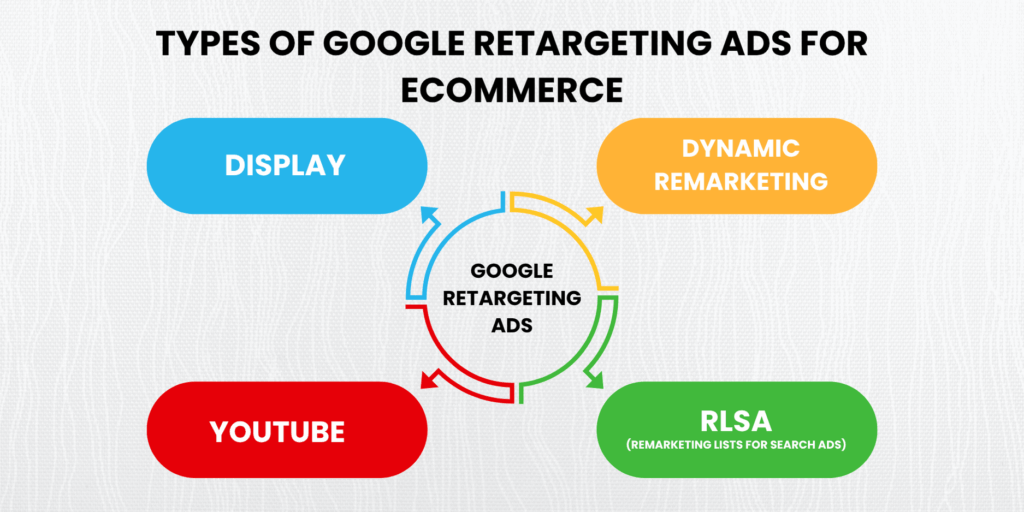
Types of retargeting ads on Google for ecommerce businesses

Google retargeting (technically called "remarketing" in Google's ecosystem) allows you to reconnect with visitors who previously interacted with your ecommerce store. Think of it as a sophisticated follow-up system that keeps your brand top-of-mind when shoppers are ready to buy.

Google offers several retargeting formats specifically designed for ecommerce success. Standard display retargeting shows static ads to past visitors across Google's Display Network. Dynamic remarketing takes this further by showcasing the exact products visitors viewed, complete with pricing and availability updates.

Remarketing Lists for Search Ads (RLSA) targets previous visitors when they search for related terms on Google. YouTube retargeting captures attention through video content, perfect for building deeper brand connections. Each format serves different stages of the customer journey, from initial awareness to final purchase decision.

The key difference between remarketing and retargeting is mostly semantic; remarketing focuses on email campaigns, while retargeting typically refers to paid ads. Google uses "remarketing" for its ad platform, but both terms describe the same core strategy of re-engaging past visitors.

Modern Google retargeting relies heavily on GA4 audience syncing, which provides richer behavioral data than traditional remarketing pixels. This integration allows for more precise audience segments based on user actions, time spent, pages visited, and conversion likelihood. Learn more about optimizing your Shopping campaigns to complement your retargeting efforts.

For detailed setup instructions, consult Google's official remarketing guide, which covers the technical requirements for different campaign types.

Why Most Ecommerce Brands Struggle With Google Retargeting (And How to Fix It)
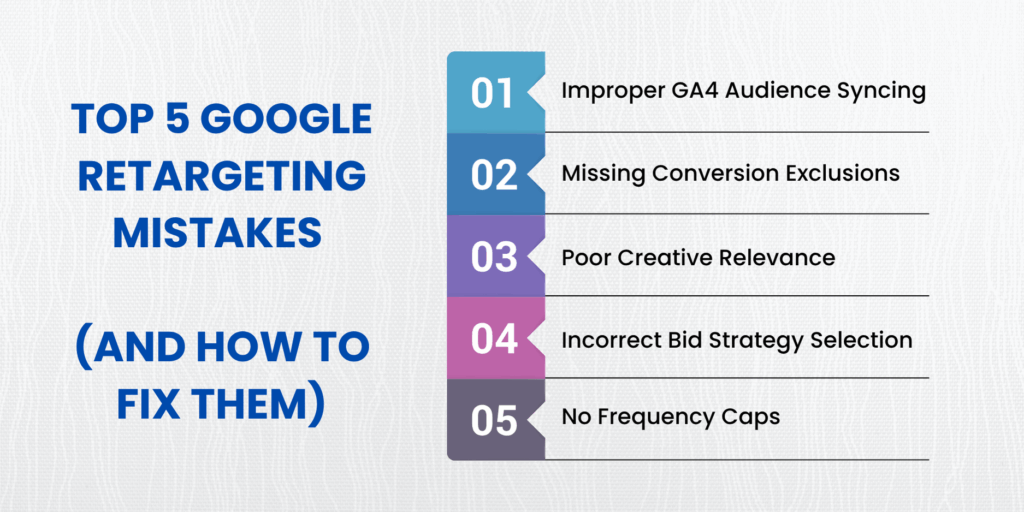
Checklist of common mistakes in Google retargeting ads for ecommerce brands

Setup Complexity Kills Campaign Performance Before It Starts

The biggest hurdle isn't strategy, it's execution. Most ecommerce brands stumble during the technical setup phase, particularly when integrating remarketing pixels with platforms like Shopify or WooCommerce. GA4 audience creation requires specific event tracking that many stores implement incorrectly.

Common setup failures include missing Enhanced Ecommerce tracking, incorrectly configured product feeds for dynamic ads, and poorly structured audience definitions that create overlap or exclude valuable segments. Without a proper data foundation, even brilliant creative strategies fall flat.

Ad Fatigue Transforms Potential Customers Into Banner-Blind Browsers

Overexposure is the silent killer of retargeting campaigns. When visitors see the same ad repeatedly without frequency capping, they develop banner blindness or, worse, negative brand associations. The sweet spot for most ecommerce retargeting sits between 3-7 impressions per week, depending on your sales cycle length.

Smart brands implement progressive creative sequences that evolve based on engagement level. First-time returners might see product reminders, while multiple visitors receive time-sensitive offers or social proof messaging.

Poor Audience Segmentation Wastes Budget on Irrelevant Traffic

The spray-and-pray approach to audience creation hemorrhages ad spend. Broad "all website visitors" audiences include everyone from job seekers to competitors, diluting your message and inflating costs. Effective segmentation requires granular behavioral triggers that identify genuine purchase intent.

High-performing ecommerce retargeting campaigns segment by cart abandonment status, product category interest, time since last visit, and engagement depth. These precise audience definitions dramatically improve ROAS by focusing spend on visitors most likely to convert.

Personalization That Feels Helpful, Not Creepy

The line between clever personalization and invasive tracking grows thinner each year. Successful retargeting feels like a helpful reminder rather than digital stalking. This requires thoughtful, creative development that acknowledges past behavior without being overly specific about browsing history.

Instead of "We noticed you looked at this exact product 47 times," effective messaging focuses on category benefits or time-sensitive offers that create urgency without discomfort.

Avoid These 5 Google Retargeting Setup Mistakes:

Most campaigns fail due to preventable technical errors. Skip proper GA4 audience syncing, and your segments will lack behavioral depth. Forget conversion exclusions, and you'll waste budget targeting customers who have already purchased. Poor creative relevance kills engagement rates, while wrong bid strategies optimize for clicks instead of conversions. Finally, missing frequency caps leads to ad fatigue and wasted impressions.

7 Smart Retargeting Tactics That Actually Work for Ecommerce (With Examples)

Seven smart Google retargeting strategies for ecommerce brands to recover lost sales

Cart Abandonment Recovery with Dynamic Product Ads

Cart abandoners represent your highest-intent audience segment; they've already decided to buy but got distracted during checkout. Dynamic product ads automatically showcase the exact items left behind, complete with current pricing and stock levels.

The secret lies in timing and the messaging hierarchy. Deploy the first ad within 1-3 hours while purchase intent remains hot. Follow up with progressively stronger incentives: first, a gentle reminder, then free shipping offers, finally, limited-time discounts for stubborn abandoners.

Successful dynamic ads include trust signals like customer reviews, return policies, or security badges that address common checkout concerns. The visual should match your website's product imagery exactly to maintain consistency across touchpoints.

Time-Delay Retargeting for Hesitant Shoppers

Not every visitor is ready to buy immediately. Time-delay sequences nurture prospects through extended consideration periods by delivering relevant content at strategic intervals. This approach works particularly well for high-ticket items or complex purchase decisions.

Create separate audience segments based on days since last visit: 1-3 days for warm prospects, 4-14 days for cooling leads, and 15+ days for cold revival attempts. Each segment receives messaging tailored to their likely mindset and objection level.

Early-stage retargeting focuses on value proposition reinforcement and social proof. Mid-stage campaigns address common objections through educational content or comparison guides. Late-stage efforts deploy urgency tactics and compelling offers to revive interest.

Exclude Converted Users to Save Budget

One of the costliest retargeting mistakes is continuing to advertise to customers who have already purchased. This wastes budget and potentially annoys satisfied buyers with irrelevant messaging. Smart exclusion strategies go beyond basic conversion tracking.

Implement rolling exclusion windows that account for repeat purchase cycles. A customer who bought running shoes might return for accessories within 30 days, but won't need new shoes for months. Seasonal businesses should adjust exclusion periods based on natural replenishment cycles.

Advanced exclusion strategies segment by customer lifetime value, excluding high-value customers from discount-heavy campaigns while including them in premium product launches or loyalty program promotions.

Segment By High-Intent Behavior (e.g., checkout page visits)

Generic website visitor audiences dilute your message and waste impressions on low-intent traffic. High-intent behavioral triggers identify visitors closest to conversion, allowing for more aggressive bidding and compelling creative messaging.

Checkout page visitors represent premium audiences worthy of increased ad spend and stronger offers. These users encountered friction during the final purchase step—address their specific concerns rather than generic product benefits.

Other high-intent signals include multiple product views, wishlist additions, size guide consultations, and shipping calculator usage. Each behavior reveals different objection types, enabling tailored messaging that directly addresses hesitation points.

Use Countdown Offers or Scarcity Ads to Trigger Action

Urgency psychology drives immediate action when implemented authentically. Countdown timers and scarcity messaging tap into loss aversion, but they must reflect genuine constraints to maintain trust and compliance with advertising standards.

Flash sales with real expiration dates create legitimate urgency that motivates fence-sitters. Limited inventory notifications work well for genuinely scarce items but lose effectiveness if overused or fabricated.

The key is matching urgency tactics to the visitor behavior stage. Recent cart abandoners respond well to short-term discount countdowns, while cold traffic needs longer consideration periods with gentle urgency cues.

Retarget on YouTube for Deeper Funnel Engagement

YouTube retargeting offers unique advantages for building emotional connections with potential customers. Video content allows for storytelling, product demonstrations, and social proof that static display ads cannot achieve.

Create video sequences that guide viewers through your brand story and product benefits. Start with brand awareness content for new visitors, progress to product education for engaged prospects, and finish with conversion-focused testimonials for high-intent audiences.

YouTube's targeting options allow for incredibly specific audience creation based on engagement level with previous videos, making it perfect for nurturing qualified prospects through extended sales cycles.

RLSAs for Search Campaigns, Catch Them at the Bottom of the Funnel

Remarketing Lists for Search Ads (RLSA) combines the intent of search behavior with the qualification of past website interaction. This powerful combination allows for more aggressive bidding on high-value keywords when shown to pre-qualified audiences.

RLSA campaigns can bid higher on competitive terms because past visitors demonstrate genuine interest in your products. They also enable targeting of broader, more expensive keywords that would be unprofitable for cold traffic.

The strategy works particularly well for long-tail product searches and branded competitor terms where past visitors indicate serious consideration of your offering.

Our Google Ads management services specialize in implementing these advanced retargeting strategies for ecommerce brands. For additional insights on display advertising best practices, explore Google's Smart Display campaign recommendations.

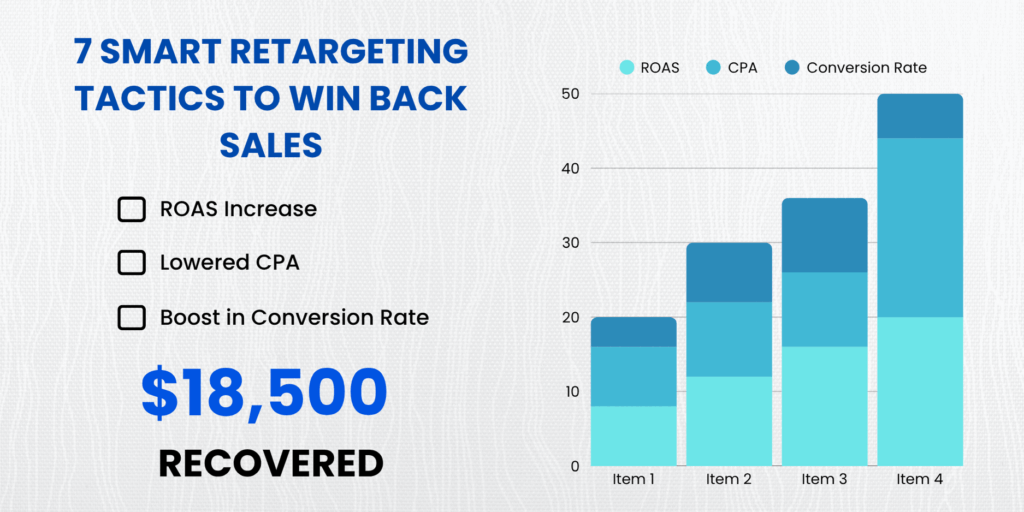
Case Study: How One Shopify Brand Recovered $18,500 in Lost Sales with Google Retargeting
Shopify ecommerce brand case study showing retargeting ad performance improvement

A mid-sized athletic apparel brand came to us with a common problem: strong traffic numbers but disappointing conversion rates. Their Google Ads were successfully driving visitors, but only 1.8% completed purchases on their first visit.

We implemented a comprehensive retargeting strategy centered on dynamic remarketing and precise GA4 audience segmentation. The approach focused on three core audience segments: cart abandoners (highest priority), product viewers (medium priority), and category browsers (lowest priority).

The cart abandonment sequence launched within one hour of exit, showcasing exact abandoned products with personalized messaging. Product viewers received educational content about featured items, plus social proof testimonials. Category browsers saw broader brand awareness campaigns highlighting unique selling propositions.

Within 90 days, the results spoke volumes. Overall ROAS improved from 3.2x to 7.8x across retargeting campaigns. Cart abandonment recovery generated $12,400 in previously lost revenue. Product viewer retargeting contributed an additional $6,100 in new sales.

The key breakthrough came from treating each audience segment as a distinct customer with unique needs and objections. Rather than generic "come back and buy" messaging, each creative addressed specific hesitation points relevant to that behavior stage.

This case demonstrates why precise segmentation combined with relevant creative messaging creates retargeting goldmines. The brand didn't just recover lost sales; they built a systematic approach to nurturing every visitor toward conversion.

Want us to audit your existing Google Ads setup for retargeting opportunities? Our experts identify optimization opportunities that most brands miss.

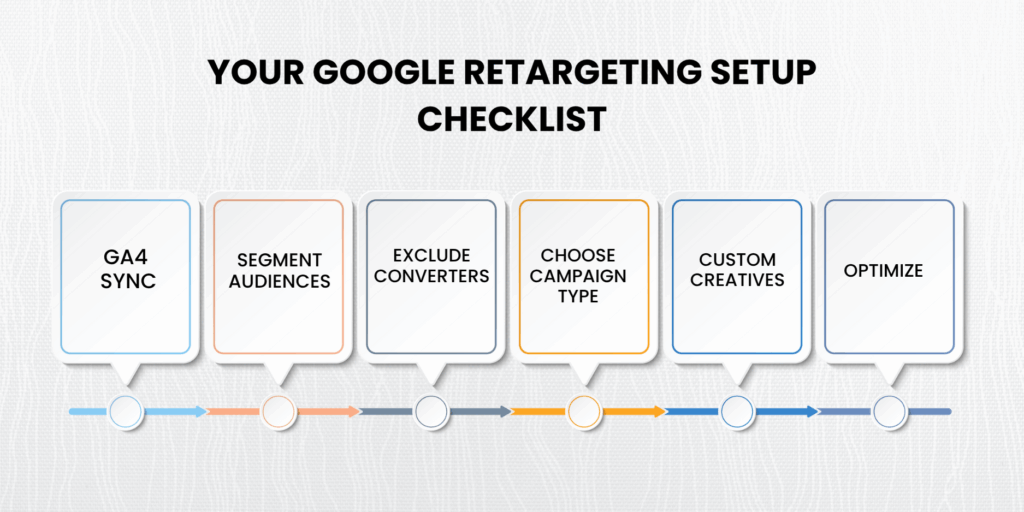
How to Set Up Retargeting Ads on Google (Without Breaking It)
Step-by-step setup of retargeting ads on Google for ecommerce brands

Step 1: Sync GA4 with Google Ads for Rich Audience Data

Proper GA4 integration provides the behavioral data foundation that makes sophisticated retargeting possible. Navigate to Admin > Google Ads Linking in your GA4 property and complete the linking process. Enable Enhanced Ecommerce events and configure custom conversion goals that align with your business objectives.

Verify that purchase events, add-to-cart actions, and page view data flow correctly between platforms. This data quality directly impacts audience accuracy and campaign optimization capabilities.

Step 2: Build Audience Segments Based on Meaningful Behaviors

Create granular audience segments that reflect genuine purchase intent rather than generic website activity. Cart abandoners represent your highest-value segment, followed by product viewers, category browsers, and engaged visitors based on time-on-site thresholds.

Set appropriate lookback windows for each audience type. Cart abandoners need short 7-day windows to capture immediate intent, while category browsers benefit from 30-90 day windows that account for longer consideration periods.

Step 3: Exclude Past Converters and Irrelevant Segments

Implement conversion exclusions that prevent wasted spend on customers who have already purchased. Create separate exclusion lists for different product categories and timeframes. A customer who bought running shoes shouldn't see running shoe ads for 6+ months.

Also, exclude internal traffic, job seekers browsing career pages, and other non-customer segments that artificially inflate audience sizes without contributing to revenue goals.

Step 4: Choose the Right Campaign Type for Each Audience

Match campaign types to audience characteristics and business goals. Display campaigns work well for broad awareness among category browsers. Performance Max excels at cart abandonment recovery with its automated optimization across multiple channels.

YouTube campaigns build deeper engagement with prospects who need education or trust-building. RLSA campaigns capture high-intent searchers who already know your brand.

Step 5: Build Creatives Tailored to Each Audience Segment

Generic creative destroys retargeting performance. Cart abandoners need product-specific imagery and urgency messaging. Product viewers respond to educational content and social proof. Category browsers require broad value proposition communication.

Test multiple creative variations within each audience segment to identify the messaging and visual combinations that drive the highest engagement and conversion rates.

Step 6: Monitor Frequency, Performance, and Optimize Continuously

Set frequency caps between 3-7 impressions per week to prevent ad fatigue. Monitor cost-per-conversion trends across audience segments and reallocate budget toward the highest-performing groups.

Regular creative refreshing prevents message fatigue and maintains engagement levels. Replace underperforming ads before they negatively impact audience perception of your brand.

For comprehensive campaign optimization strategies, read our guide on Performance Max vs. Smart Shopping for ecommerce. Need professional help implementing these strategies? Our Google Ads strategists build high-ROI retargeting funnels customized to your store's specific needs and customer behavior patterns.

Want to Unlock the Power of Retargeting Ads on Google for Your Ecommerce Store?

The difference between ecommerce brands that struggle and those that thrive often comes down to how effectively they recapture lost traffic. While your competitors let 98% of their visitors disappear forever, you now have the knowledge to bring them back as paying customers.

These seven retargeting tactics aren't just theoretical concepts; they're proven strategies that generate measurable results for ecommerce brands across every industry. From cart abandonment recovery to strategic audience exclusions, each tactic builds upon the others to create a comprehensive system for maximizing your traffic investment.

The question isn't whether retargeting ads on Google for ecommerce work, it's whether you'll implement them before your competitors do. Every day you delay means more lost sales and missed opportunities to build lasting customer relationships.

Don't let another potential customer slip away. The visitors coming to your store today represent tomorrow's revenue, but only if you have systems in place to nurture them toward conversion.

Ready to transform your abandoned traffic into recovered revenue? Let PA Digital Growth help you launch retargeting campaigns that bring back your most valuable visitors and turn them into loyal customers.

Book Your Free Strategy Call Now and discover how our proven retargeting strategies can recover thousands in lost sales for your ecommerce store.

Additional Resources:

Frequently Asked Questions

Can you do retargeting with Google Ads?

Yes, Google Ads offers multiple retargeting options, including Display remarketing, Dynamic remarketing, YouTube retargeting, and Remarketing Lists for Search Ads (RLSA). Each format serves different stages of the customer journey and can be combined for

Is Google Ads good for ecommerce?

Google Ads excels for ecommerce because it captures high-intent search traffic and provides sophisticated retargeting capabilities. The platform's integration with GA4 enables precise audience segmentation based on shopping behavior, making it particularly effective for recovering abandoned carts and nurturing prospects through extended sales cycles.

Are retargeting ads worth it?

Retargeting typically delivers 3-10x higher conversion rates than cold traffic campaigns because it targets visitors who have already demonstrated interest in your products. For ecommerce brands, retargeting often generates the highest ROAS of any paid advertising channel, especially when properly segmented by visitor behavior.

How much do retargeting ads cost?

Google retargeting costs vary significantly based on industry, competition, and audience size. Most ecommerce brands see CPCs between $0.50-$2.00 for display retargeting and $1.00-$5.00 for search retargeting. The key is focusing on cost-per-conversion rather than cost-per-click metrics.

What's an example of a Google retargeting ad?

A typical ecommerce retargeting ad might show a dynamic product carousel featuring items the visitor viewed, with messaging like "Still thinking about these items?" plus a limited-time discount code. The ad includes product images, pricing, and a clear call-to-action that leads directly to the product page or cart.
ECommerce Conversion Tracking Setup: The No-Fluff Guide to Fixing Your Data and Boosting ROAS

Here's a startling reality that keeps eCommerce founders awake at night: 87% of online retailers are making critical business decisions based on incomplete or inaccurate conversion data. According to recent industry analysis, the average eCommerce brand underreports actual conversions by 23-31%, essentially flying blind while competitors with proper tracking systems capture market share.

Last week, a Shopify Plus merchant told us they were "hemorrhaging $18,000 monthly on Facebook ads that showed zero conversions in their dashboard", yet their bank account clearly showed new customer revenue flowing in. The culprit? A botched eCommerce conversion tracking setup that was silently sabotaging their entire growth strategy.

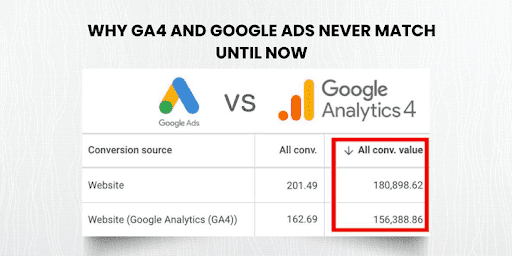
If you're tired of questioning whether your ads actually work, wondering why GA4 and Google Ads show completely different numbers, or feeling frustrated that you can't confidently scale profitable campaigns, this comprehensive guide will fix your tracking foundation and unlock the accurate data you need to boost ROAS systematically.

You'll discover the exact four-step process our agency uses to implement bulletproof conversion tracking for DTC brands, plus advanced troubleshooting techniques that eliminate data discrepancies between platforms. By the end, you'll have a complete roadmap to transform your analytics from confusing noise into actionable growth intelligence.

Why Accurate eCommerce Conversion Tracking Is Your Secret Growth Lever

Poor conversion tracking isn't just a technical inconvenience; it's a profit killer that compounds exponentially as your business scales. When your data foundation crumbles, every marketing decision becomes a costly gamble rather than a strategic investment.

The most devastating consequence? Wasted ad spend on audiences and campaigns that appear unprofitable but actually drive significant revenue. We regularly audit eCommerce accounts where brands paused their highest-converting campaigns because broken tracking made them look like money pits. Meanwhile, truly underperforming campaigns continued burning budget because inflated conversion numbers masked their inefficiency.

Accurate eCommerce conversion tracking setup for higher ROAS

Data mismatch destroys decision-making confidence at every level. Marketing managers can't optimize campaigns when GA4 shows 47 conversions while Google Ads reports 23 for the same period. CFOs lose trust in marketing ROI calculations when revenue attribution seems arbitrary. Growth strategies stall because leadership questions every performance metric presented.

Google's shift toward modeled data and privacy-first advertising makes accurate first-party data collection more critical than ever. Enhanced conversions and GA4 ecommerce tracking aren't optional nice-to-haves; they're competitive requirements for sustainable growth in the post-cookie era.

Brands with comprehensive conversion tracking systems gain unfair advantages through precise attribution, enabling them to bid more aggressively on profitable audiences while competitors remain conservative due to data uncertainty. This tracking accuracy translates directly into market share gains and customer acquisition cost advantages.

Our Conversion Tracking Services have helped hundreds of eCommerce brands eliminate these blind spots and unlock profitable scaling opportunities. Google's official Enhanced Conversions Guide provides technical specifications, but implementation requires strategic expertise to avoid common pitfalls.

eCommerce Conversion Tracking Setup Basics (And Where Brands Go Wrong)

The Core Tools You Need for Bulletproof Revenue Tracking

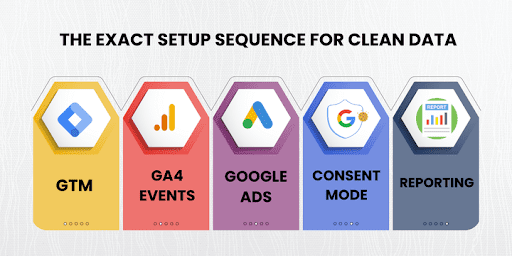
Google Tag Manager (GTM) serves as your tracking command center, managing all analytics and advertising tags through a single interface. Unlike hardcoded tracking pixels, GTM provides flexible tag deployment without developer dependencies for routine updates.

Google Analytics 4 (GA4) with properly configured ecommerce events creates your source of truth for customer behavior analysis. GA4's machine learning capabilities require rich data inputs to generate accurate insights and audience segments for remarketing campaigns.

Google Ads with Enhanced Conversions enabled bridges the gap between anonymous website visitors and identifiable customers through secure data hashing. This technology improves attribution accuracy by 15-25% compared to standard conversion tracking alone.

Shopify's native tracking versus custom implementations presents a critical decision point. Shopify's built-in GA4 integration covers basic ecommerce events but lacks customization for advanced funnel analysis or cross-platform attribution needs.

eCommerce conversion tracking setup mistakes infographic

Most Common Mistakes That Sabotage Your Data Quality

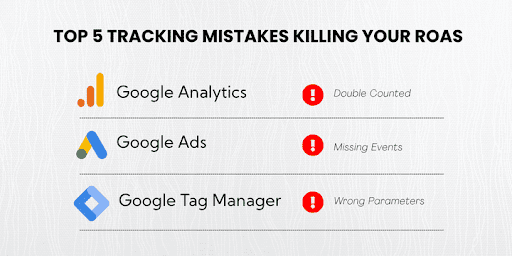
Double-counted or underreported conversions plague 60%+ of eCommerce tracking implementations we audit. Multiple tracking methods firing simultaneously create inflated metrics, while missing conversion triggers cause significant underreporting during peak traffic periods.

Missing purchase events or incomplete checkout step tracking prevent funnel optimization and audience creation for retargeting campaigns. Without granular event data, you cannot identify where customers abandon their journey or which traffic sources drive the highest-value purchases.

Incorrect event parameter setups render your data useless for optimization. Purchase events missing currency, value, or item details cannot support smart bidding algorithms or accurate ROAS calculations across campaigns.

Lack of consent mode or cookie compliance creates data collection gaps, especially for European and California visitors. Non-compliant tracking also exposes your business to regulatory penalties and reduced data modeling accuracy.

5 Things Your eCommerce Tracking Setup Should Always Include

Essential elements for comprehensive revenue tracking include:

Purchase events with transaction value and currency parameters for accurate ROAS calculation, enhanced conversions implementation for improved attribution accuracy, funnel events including add-to-cart and begin-checkout for optimization insights, custom dimensions for product categories and customer segments, and consent mode configuration for privacy compliance and data modeling.

For complex tracking implementations that intersect with technical SEO requirements, our Technical SEO Services ensure proper data layer structure and site performance optimization.

Step-by-Step: How to Set Up eCommerce Conversion Tracking Correctly

Step 1 – Configure GTM with the Correct Data Layer Structure

Proper data layer implementation requires platform-specific ecommerce object configuration that captures all relevant purchase information. Shopify and WooCommerce generate different data structures that must be normalized for consistent tracking across your analytics stack.

Essential event triggers include cart interactions (add-to-cart, remove-from-cart), checkout progression (begin-checkout, add-payment-info, add-shipping-info), and purchase completion with full transaction details. Each trigger must fire reliably across different browsers and devices to ensure complete data capture.

Enable GTM debug mode during implementation to verify proper tag firing and data parameter passing. Debug mode reveals timing issues, missing data elements, and tag conflicts that cause tracking failures in production environments.

Configure custom event parameters for advanced segmentation needs, such as product category, customer type (new vs. returning), or traffic source attribution. These parameters enable sophisticated analysis and audience creation for targeted campaigns.

Step 2 – Set Up GA4 Events That Actually Track Purchases

GA4 eCommerce events require specific parameter structures to integrate properly with Google's machine learning algorithms and reporting interfaces. Standard events (purchase, view-item, begin_checkout) must include recommended parameters like value, currency, and items arrays.

Purchase events need comprehensive transaction data, including transaction-id, value, currency, tax, shipping, and detailed items arrays with item-id, item-name, item-category, and quantity. Missing parameters limit your ability to analyze customer behavior and create valuable audiences for retargeting campaigns.

Implement custom dimensions for business-specific tracking needs such as product variant IDs, customer lifetime value segments, or attribution sources. Custom dimensions provide granular analysis capabilities that standard GA4 reports cannot deliver.

Configure conversion goals that align with your business objectives, not just purchase completions. Newsletter signups, product page engagement, and cart additions can indicate valuable micro-conversions that inform campaign optimization strategies.

Step-by-step ecommerce conversion tracking setup guide

Step 3 – Connect Google Ads and Enable Enhanced Conversions

Google Ads conversion tag setup requires careful coordination with your existing GA4 implementation to avoid double-counting while capturing comprehensive attribution data. Enhanced conversions add first-party customer data to improve cross-device and cross-session tracking accuracy.

Enhanced conversions can be implemented through GTM tags or API integration, depending on your technical capabilities and data security requirements. Tag-based implementation offers easier setup, while API integration provides more control over data handling and customer information security.

Securely pass hashed customer data, including email addresses, phone numbers, and address information, to improve Google's ability to connect anonymous website sessions with identifiable customer profiles. This connection significantly improves attribution accuracy for complex customer journeys.

Configure appropriate conversion windows and attribution models that reflect your actual sales cycle length. B2B eCommerce typically requires longer attribution windows compared to impulse purchase categories.

Consent mode implementation becomes mandatory for businesses serving European or California customers, but it also improves data modeling accuracy for all visitors regardless of location. Proper consent management prevents regulatory compliance issues while maintaining tracking effectiveness.

Consent mode affects how Google models conversions when tracking consent is denied, using aggregate data patterns to estimate conversion attribution. Understanding consent mode's impact on your data helps set realistic expectations for conversion reporting accuracy.

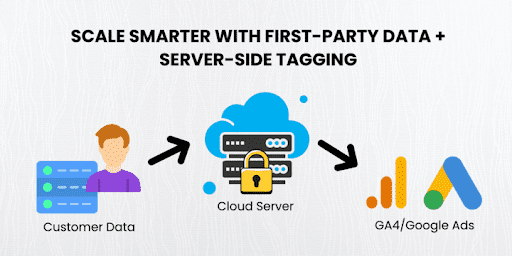
Server-side tagging represents the advanced implementation option for high-traffic brands requiring maximum data control and site performance optimization. Server-side setups require technical expertise but provide superior tracking reliability and customer data security.

For detailed technical requirements, consult Google's Consent Mode Developer Guide, which covers implementation options and data modeling implications.

Fixing the Gaps: Troubleshooting Data Discrepancies Between GA4 and Google Ads

Troubleshooting data discrepancies in ecommerce conversion tracking setup

Why Are My GA4 and Google Ads Numbers Different?

Attribution model differences create the most common discrepancies between platforms. GA4 uses data-driven attribution by default, while Google Ads conversion actions may use last-click attribution, creating significant variance in conversion credit distribution across touchpoints.

Conversion window mismatches compound attribution differences when platforms count conversions over different time periods. Google Ads typically uses 30-day click and 1-day view windows, while GA4 attribution windows can be customized but default to different settings.

Cross-device tracking capabilities vary between platforms, with GA4's enhanced measurement providing broader cross-device attribution compared to Google Ads' more conservative approach. These differences become pronounced for customer journeys spanning multiple devices and sessions.

Tag firing timing and duplication issues cause systematic over- or under-reporting when multiple tracking methods conflict or fail to fire consistently. Page load timing, JavaScript errors, and tag sequence problems create data collection gaps that accumulate over time.

How to Fix and Reconcile the Data

Align attribution models across platforms to create consistent conversion crediting logic. While perfect alignment isn't always possible, understanding each platform's attribution approach helps explain expected variance ranges and identify unusual discrepancies requiring investigation.

Implement URL parameters and cross-domain tracking for comprehensive customer journey attribution, especially for businesses using multiple domains or subdomains in their conversion funnel. Proper cross-domain configuration prevents session breaks that artificially inflate new user metrics.

Deploy debug tools systematically, including GA4 DebugView for real-time event monitoring, Tag Assistant for GTM validation, and Google Ads tag diagnostics for conversion tag verification. Regular debugging catches implementation issues before they accumulate into significant data problems.

Monitor conversions through real-time reports to identify sudden changes in tracking behavior that indicate technical issues or implementation problems. Real-time monitoring enables rapid response to tracking failures during critical traffic periods.

Need Help Fixing Underreported Conversions?

If you're struggling with persistent data discrepancies or underreported conversions that impact your ability to scale profitable campaigns, our team specializes in diagnosing and resolving complex tracking issues. Book a free GA4 & Ads Audit with PA Digital Growth to identify hidden gaps in your current setup.

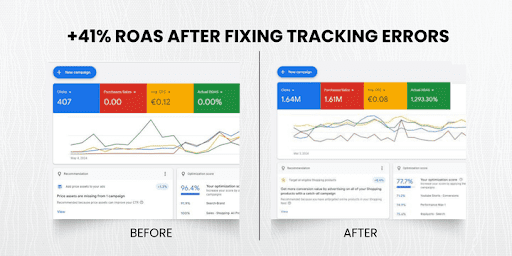
Real Results: How Proper Conversion Tracking Drove a 41% ROAS Increase

A premium skincare DTC brand approached us with a frustrating problem: their Facebook and Google ads appeared to generate minimal conversions according to their tracking, yet bank deposits clearly showed substantial new customer revenue flowing in daily.

Real results of improved ecommerce conversion tracking setup

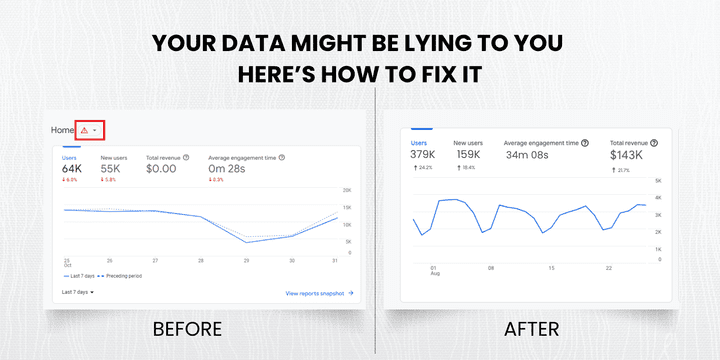
Before our intervention, Their tracking setup reported only 31% of actual conversions, leading to massive underinvestment in profitable campaigns and audiences. Marketing spend remained conservative at $12,000 monthly because leadership questioned every ROI calculation. The marketing team couldn't confidently scale winning campaigns or optimize underperforming ones due to unreliable attribution data.

Our strategic approach: We implemented a comprehensive eCommerce conversion tracking setup, including enhanced conversions, proper GA4 ecommerce events, and server-side tag management for improved data reliability. The new system captured previously invisible conversions from cross-device journeys and returning customer purchases.

After implementation: Within 90 days, accurate tracking revealed their true ROAS was 340% higher than originally reported. This revelation enabled aggressive scaling of profitable campaigns, leading to a 41% overall ROAS increase and 18% cost-per-acquisition improvement. Monthly ad spend confidently scaled to $31,000 while maintaining profitability metrics.

"Finally, having accurate data transformed our entire marketing strategy. We discovered our 'worst' campaigns were actually our most profitable—we were just measuring wrong. Now we make decisions based on real numbers, not guesswork." - Sarah M., Marketing Director

This case demonstrates how proper conversion tracking doesn't just improve data accuracy, it unlocks hidden growth opportunities and enables confident scaling decisions that drive substantial revenue increases.

What's Next: Scaling with First-Party Data and Server-Side Tagging

Server-side ecommerce conversion tracking setup for scaling

Why First-Party Data Is Becoming Mission Critical

Cookie restrictions and browser limitations continue tightening, making first-party data collection your most reliable source for customer insights and advertising attribution. Safari's Intelligent Tracking Prevention and Chrome's Privacy Sandbox initiatives fundamentally change how conversion tracking operates.

Google's data modeling capabilities improve significantly when fed rich first-party data through enhanced conversions and customer information hashing. Brands providing comprehensive customer data gain competitive advantages through improved attribution accuracy and audience targeting precision.

CRM integration and email opt-in strategies become essential components of modern conversion tracking systems. Connecting email addresses, phone numbers, and purchase history creates comprehensive customer profiles that enhance cross-platform attribution and lifetime value analysis.

First-party data collection through surveys, loyalty programs, and preference centers provides valuable customer insights that third-party cookies never captured, enabling more sophisticated personalization and retention strategies.

Should You Use Server-Side Tagging?

High-traffic brands and Shopify Plus stores benefit most from server-side tagging implementation due to improved site performance, enhanced data security, and superior tracking reliability. Server-side setups handle tag processing on your servers rather than in customer browsers.

Key benefits include faster page load speeds through reduced client-side JavaScript execution, enhanced data security through server-controlled customer information handling, and improved tracking accuracy by eliminating browser-based blocking and timing issues.

Implementation complexity requires expert consultation for proper setup and ongoing maintenance. Server-side tagging involves technical infrastructure management that extends beyond standard marketing team capabilities, making professional implementation essential for success.

Consider server-side tagging when your site handles significant traffic volumes, requires stringent data security controls, or experiences tracking reliability issues due to ad blockers or browser restrictions.

Smart Tracking = Smart Scaling

Comprehensive tracking systems unlock exponential growth opportunities through accurate attribution, enabling smarter budget allocation decisions, GA4 data quality improvements that enhance Google Ads optimization algorithms, enhanced conversions providing stronger signal strength for machine learning, and precise customer lifetime value data supporting strategic budget planning and acquisition strategies.

Complement your conversion tracking foundation with advanced strategies from our guides on Google Ads for Ecommerce: The Ultimate Guide to Driving Sales at Scale and Retargeting Ads on Google for Ecommerce: 7 Smart Tactics to Win Back Lost Sales Fast.

Transform Your Business with Bulletproof eCommerce Conversion Tracking Setup

The difference between eCommerce brands that scale confidently and those that struggle with growth often comes down to data quality. While your competitors make decisions based on incomplete information and question every marketing investment, you now have the blueprint to implement tracking systems that provide crystal-clear visibility into what's actually driving revenue.

These implementation strategies aren't theoretical concepts, they're proven methodologies that have helped hundreds of DTC brands eliminate data blind spots and unlock profitable scaling opportunities. From basic GA4 configuration to advanced server-side tagging, each element builds upon the others to create comprehensive tracking systems that grow with your business.

Every day you operate with inaccurate conversion data is another day of missed opportunities and suboptimal decisions. Your competitors with proper tracking systems are already using these advantages to capture market share while you second-guess campaign performance and limit growth potential.

The technical complexity might seem overwhelming, but the business impact of accurate eCommerce conversion tracking setup transforms everything: confident scaling decisions, optimized ad spend, improved customer acquisition costs, and systematic growth based on reliable data rather than educated guesswork.

Don't let another month pass wondering whether your marketing actually works. The brands winning in today's competitive landscape aren't necessarily those with better products; they're the ones with better data.

Ready to Fix Your Tracking and Unlock Hidden Growth?

Stop making million-dollar decisions based on incomplete data. Our proven eCommerce conversion tracking setup methodology has helped brands increase ROAS by 41%+ while eliminating the frustration of conflicting analytics reports.

Discover exactly what's broken in your current tracking setup and get a customized roadmap for implementation. Our conversion tracking audit reveals hidden revenue leaks, identifies optimization opportunities, and provides step-by-step guidance for bulletproof data collection.

Book Your Free Conversion Tracking Audit with PA Digital Growth today. Within 48 hours, you'll know exactly why your numbers don't match, which campaigns are actually profitable, and how to implement tracking systems that scale with your growth ambitions.

Your competitors won't wait for you to fix your data, and neither should your growth trajectory.

Additional Resources:

Frequently Asked Questions

What is eCommerce conversion tracking and why is it critical for online stores?

eCommerce conversion tracking is a data collection system that monitors and attributes customer actions leading to purchases on your online store through sophisticated tagging and attribution models. It's critical because 87% of online retailers make decisions based on incomplete data, leading to massive budget waste on seemingly unprofitable campaigns. Proper tracking enables accurate ROAS calculation and provides Google's algorithms with rich conversion data needed to improve ad targeting and reduce acquisition costs.

How do you set up GA4 ecommerce tracking for accurate revenue attribution?

GA4 ecommerce tracking requires implementing specific events like purchase, view-item, add-to-cart, and begin-checkout through Google Tag Manager with standardized parameters. Configure the purchase event with transaction-id, value, currency, tax, shipping, and detailed items arrays containing item-id, item-name, and item-category. Test event firing through GA4 DebugView and verify data accuracy in real-time reports before deploying to production.

Why are my Google Ads and GA4 conversion numbers different?

Conversion discrepancies between Google Ads and GA4 stem from fundamental differences in attribution models, conversion windows, and data collection methodologies. GA4 uses data-driven attribution, while Google Ads may use last-click attribution, plus conversion window mismatches create natural variance. Industry benchmarks show 15-25% variance is normal, but variance exceeding 30% indicates implementation problems requiring debug tool investigation.

What are enhanced conversions, and how do they improve tracking accuracy?

Enhanced conversions add first-party customer data (email, phone, address) to standard conversion tracking through secure SHA256 hashing, enabling Google to connect anonymous website sessions with identifiable customer profiles. This improves attribution accuracy by 15-25% for cross-device customer journeys and strengthens signal strength for Google's machine learning optimization algorithms. Implementation can be done through Google Tag Manager tags or API integration while maintaining GDPR and CCPA compliance.

How do you troubleshoot underreported conversions in eCommerce tracking?

Underreported conversions typically result from tag firing failures, incorrect event parameters, attribution window mismatches, or missing conversion triggers during the customer journey. Use GA4 DebugView to monitor real-time event firing, Google Tag Assistant for GTM validation, and Google Ads tag diagnostics for conversion tag verification. Common fixes include implementing missing checkout funnel events, correcting event parameter formatting, and adding cross-domain tracking for multi-site customer journeys.

What's the difference between server-side and client-side conversion tracking?

Server-side tracking processes conversion data on your servers before sending it to analytics platforms, while client-side tracking relies on JavaScript code executing in customer browsers. Server-side provides faster page load speeds, enhanced data security, and improved tracking accuracy by eliminating ad blocker interference. However, it requires technical expertise for setup and maintenance, making it most suitable for high-traffic brands or Shopify Plus stores with dedicated development resources.

How does consent mode affect eCommerce conversion tracking accuracy?

Consent mode allows Google's tracking tags to adjust behavior based on user consent choices, using aggregated data modeling to estimate conversions when tracking consent is denied. When users deny tracking consent, Google uses machine learning to model conversion attribution based on aggregate patterns from consented users with similar behaviors. Well-implemented consent mode typically maintains 85-95% of conversion tracking accuracy compared to unrestricted tracking while ensuring GDPR and CCPA compliance.

What custom dimensions should you track for advanced eCommerce analysis?

Custom dimensions enable granular analysis beyond standard GA4 reports by capturing business-specific data points like customer type (new vs. returning), product category hierarchies, and customer lifetime value segments. Essential dimensions include traffic source attribution, geographic regions for location-based analysis, and product variant IDs for inventory optimization. Proper custom dimension strategy transforms basic analytics into actionable business intelligence that drives measurable growth improvements through sophisticated audience creation and profitability analysis.

How do you implement cross-domain tracking for multi-site eCommerce funnels?

Cross-domain tracking maintains user session continuity when customers navigate between different domains during their purchase journey, preventing artificial session breaks that inflate new user metrics. Configure Google Analytics cross-domain tracking through gtag configuration, add all relevant domains to the referral exclusion list, and implement consistent measurement IDs across all domains. Use GA4 DebugView to verify session continuity across domain transitions and implement UTM parameters to maintain campaign attribution accuracy.

When should eCommerce brands upgrade to server-side tagging for conversion tracking?

Server-side tagging becomes valuable when monthly website traffic exceeds 100,000 sessions, conversion tracking accuracy drops below 85% due to ad blockers, or page load speeds suffer from excessive client-side JavaScript. Server-side implementation typically costs $3,000-$8,000 for professional setup but delivers 10-20% improved conversion tracking accuracy and 0.5-2 second load time improvements. Brands spending $50,000+ monthly on advertising typically see positive ROI within 6-12 months through improved data quality and site performance.

Google Shopping Optimization Tips: 13 Proven Fixes to Increase CTR, Fix Feed Errors & Maximize ROI

Why Most Shopping Campaigns Fail Before They Begin?

Last month, a DTC beauty brand came to us with a frustrating problem: their Shopping ads were live and burning budget, but conversions were practically nonexistent. Their monthly ad spend hit $8,000 with barely a 1.2x ROAS to show for it.

After a quick Merchant Center audit and campaign deep-dive, we uncovered three critical feed errors silently sabotaging their click-through rate—and by extension, their entire revenue stream. Missing GTINs, mismatched product categories, and non-compliant images were keeping their best products invisible to potential customers.

Within three weeks of implementing our Google Shopping optimization tips, their click-through rate doubled from 0.8% to 1.6%, and their cost-per-acquisition dropped by 34%. More importantly, their monthly revenue from Shopping ads jumped from $9,600 to $31,200.

In this comprehensive guide, we're breaking down the exact optimization strategies we use to help ecommerce brands eliminate feed disapprovals, boost ad visibility, and maximize ROI without wasting a single dollar on underperforming campaigns.

Want the complete foundation strategy? Check our guide on Google Ads for Ecommerce, it covers everything from campaign structure to advanced bidding that amplifies these Shopping optimization techniques.

Key Takeaways

How Do You Fix Google Shopping Feed Errors, Disapprovals, and Visibility Drops Fast?

Feed disapprovals represent the silent killer of Shopping campaign performance. Google processes over 1 billion product listings daily, and its automated systems reject approximately 30% of submissions due to policy violations or technical errors.

The most devastating part? Many disapprovals happen gradually. Your products show fewer impressions over time as Google's trust in your feed decreases, creating a slow revenue bleed that's often mistaken for market competition or seasonality.

Checklist of common Google Shopping feed errors and optimization tips

The 5 Most Common Merchant Center Errors (And Their Solutions)

Feed Fixes Checklist

Before launching any Shopping campaign, verify these critical elements:

For comprehensive feed management and ongoing optimization, explore our Google Ads Management Services that include monthly Merchant Center audits and performance tracking.

Google's official Merchant Center Feed Specifications provide detailed technical requirements, while Schema.org Product Structured Data guidelines ensure proper markup implementation.

What Are the 13 Google Shopping Optimization Tips That Actually Improve CTR and CPC?

Most "optimization advice" online consists of surface-level suggestions that don't move the performance needle. These 13 tactics come from managing over $2M in Shopping ad spend across diverse ecommerce verticals, with each tip battle-tested for measurable impact on click-through rates and cost efficiency.

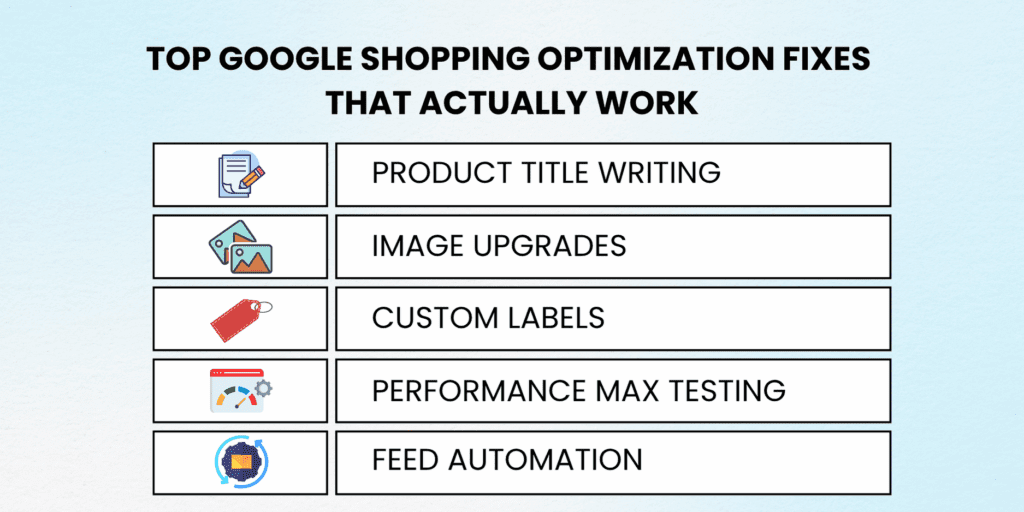
Best Google Shopping optimization tips for eCommerce CTR and conversions

1. Craft Keyword-First Product Titles That Google (And Shoppers) Love

Traditional product titles prioritize brand names, but high-converting Shopping titles front-load search keywords. Instead of "Nike Air Max 270 Running Shoe," optimize for "Running Shoes Men Nike Air Max 270 Black Size 10 Athletic Sneakers."

This approach increases relevance matching for long-tail searches while maintaining brand recognition. Our testing shows keyword-first titles generate 40-60% higher CTRs than brand-first alternatives.

2. Implement Dynamic Product Images That Stop the Scroll

Static product photos blend into the Shopping results wasteland. Dynamic images featuring models, lifestyle contexts, or size comparisons create visual stopping power that drives clicks. However, ensure the product remains the clear focal point to avoid policy violations.

Test multiple image angles and contexts to identify top performers. Apparel brands often see best results with model shots, while electronics perform better with clean, feature-highlighting angles.

3. Master Product Types and Custom Labels for Surgical Campaign Control

Google's default product groupings rarely align with your business logic. Custom labels enable precise campaign segmentation by profitability, seasonality, or inventory levels rather than generic categories.

Create custom labels for "High Margin," "Best Sellers," "Clearance," and "New Arrivals" to allocate budgets strategically. This granular control prevents high-performing products from competing against lower-value inventory for the same clicks.

4. Choose Performance Max vs Standard Shopping Based on Control Needs

Performance Max automates across Google's entire network but sacrifices granular control. Standard Shopping campaigns provide detailed keyword insights and bid management but require more manual optimization.

Use Performance Max for broad product catalogs with consistent margins. Deploy Standard Shopping for high-value items requiring precise bid control and detailed performance analytics.

5. Automate Feed Updates With Native Platform Integrations

Manual feed uploads create lag time between inventory changes and ad updates. Shopify's Google Channel and BigCommerce's native integration sync product data in real-time, preventing disapprovals from outdated information.

These integrations also automatically apply structured data markup and maintain price consistency across channels, eliminating common technical errors.

6. Optimize Product Descriptions for Hidden Keyword Matching

While titles get the attention, product descriptions influence Google's relevance algorithms behind the scenes. Include semantic keywords, use cases, and technical specifications that might trigger additional search matches.

Avoid keyword stuffing, but naturally incorporate related terms that customers use when searching for your products. A "wireless Bluetooth speaker" description might also mention "portable audio," "music streaming," and "outdoor entertainment."

7. Leverage Customer Reviews for Enhanced Shopping Ads

Products with seller ratings and review stars generate 17% higher click-through rates according to Google's internal data. Implement structured review markup and maintain a review collection system to unlock these enhanced ad formats.

Higher review volumes and ratings also improve Quality Score equivalents for Shopping campaigns, potentially reducing costs while maintaining impression share.

8. Implement Geographic and Device-Based Bid Adjustments

Shopping performance varies dramatically by location and device type. Mobile users often browse but convert on desktop, while certain geographic regions show higher purchase intent for specific product categories.

Analyze performance data monthly and adjust bids accordingly. Increase mobile bids for browsable products while boosting desktop bids for high-consideration items that benefit from larger screen research.

9. Create Seasonal Product Campaigns With Temporary Promotions

Rather than applying site-wide discounts, create targeted promotional campaigns for seasonal inventory. Use custom labels to segment holiday products and apply aggressive bidding during peak demand periods.

This approach maximizes revenue during high-intent periods while preventing unnecessary discounting on evergreen products that sell consistently year-round.

10. Monitor and Eliminate Underperforming Product Groups

Not every product deserves equal advertising investment. Regularly audit product group performance and pause or reduce bids on items with poor conversion rates or low profit margins.

Redirect saved budget toward proven performers to compound campaign profitability. This continuous optimization often improves overall ROAS by 25-40% within the first quarter.

Create separate campaigns featuring complementary products to capture additional purchase intent. If someone searches for "wireless earbuds," also show them phone cases, charging cables, and screen protectors.

This strategy increases average order value while expanding your share of customer searches within your product ecosystem.

12. Use Price Competitiveness as a Ranking Factor

Google considers your pricing relative to competitors when determining ad placement. While you don't need the lowest price, significant overpricing can hurt impression share and click-through rates.

Monitor competitor pricing monthly and adjust when market conditions change. Consider offering unique value propositions (faster shipping, better warranty) to justify premium pricing.

13. Test and Optimize Landing Page Experience Continuously

Shopping ad clicks are worthless if your product pages don't convert. Ensure fast loading times, mobile optimization, clear calls-to-action, and seamless checkout processes.

A/B test product page layouts, button colors, and checkout flows to maximize the value of each hard-earned click from your Shopping campaigns.

Quick Fixes vs Long-Term Strategies

IssueQuick FixLong-Term Strategy
Missing GTINAdd manually via feedSync via API or product catalog
Low CTRRewrite titles/imagesRun A/B title testing via rules
High CPCAdjust max CPC biddingShift to target ROAS bidding
Feed ErrorsManual correctionsAutomated feed management system
Poor ROASPause low performersImplement smart bidding algorithms

For complete Shopping campaign management, including these advanced optimizations, explore our comprehensive Google Ads for Ecommerce services. Shopify users can streamline implementation with Google Channel Integration for automated feed management.

How Do You Scale Google Shopping Campaigns Without Blowing Your Budget?

Successful Shopping campaign scaling requires strategic segmentation rather than simply increasing budgets. Most ecommerce brands hit performance walls when they scale because they're amplifying inefficient campaign structures instead of optimizing for profitable growth.

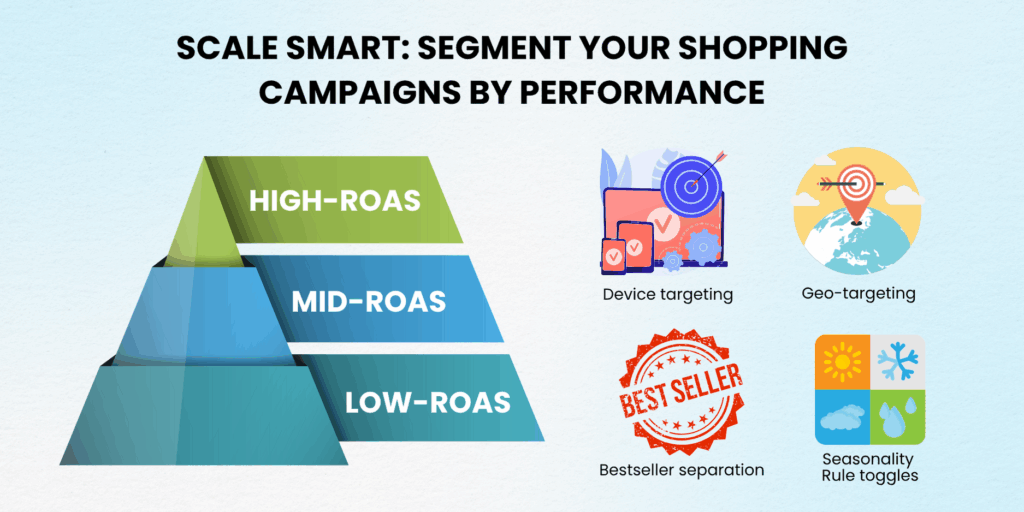
Campaign Tiering Strategy Based on Performance Metrics

Create separate campaigns for different ROAS tiers: high performers (4x+ ROAS), solid performers (2-4x ROAS), and test products (under 2x ROAS). This structure allows aggressive bidding on proven winners while conservatively testing new inventory.

High-performing campaigns receive 60-70% of the total budget allocation with premium bid strategies. Solid performers get standard bidding with moderate budgets. Test campaigns operate with strict CPA limits to prevent runaway spending on unproven products.

Google Shopping campaign segmentation and scaling tips for eCommerce brands

Geographic Segmentation for Precision Targeting

National campaigns often mask regional performance variations that impact profitability. Separate campaigns by geographic performance allows for location-specific bid adjustments and budget allocation.

Urban markets typically show higher conversion rates but increased competition. Rural areas often provide lower CPCs but require different messaging and product selection to drive conversions effectively.

Device-Based Campaign Separation for Mobile Commerce

Mobile and desktop users exhibit fundamentally different shopping behaviors that warrant separate optimization strategies. Mobile campaigns should emphasize visual appeal and simplified checkout processes, while desktop campaigns can include more detailed product information and comparison features.

Cross-device tracking helps attribute mobile research to desktop conversions, ensuring accurate ROAS calculation across the complete customer journey.

Inventory-Based Segmentation for Profit Optimization

Separate bestsellers from evergreen inventory to prevent cannibalization and optimize bidding strategies. Best-selling products can sustain higher CPCs due to proven conversion rates, while evergreen items require conservative bidding to maintain profitability.

Seasonal products need their own campaigns with flexible budgets that scale during peak demand periods and contract during off-seasons to prevent waste.

Budget Pacing Strategies to Prevent Overspend

Implement daily budget caps with automated bid adjustments to maintain consistent spend pacing throughout the month. Front-loaded spending early in the month often captures lower-quality traffic, while end-of-month budget compression can miss valuable conversion opportunities.

Use automated rules to increase budgets during high-performance periods and decrease spending when conversion rates drop below acceptable thresholds.

Mini Case Study: Furniture Brand Scaling Success

A premium furniture retailer approached us, spending $3,000 monthly on Shopping ads with inconsistent 2.1x ROAS. Their single campaign structure prevented optimization of high-value items versus accessory products.

We implemented a tiered campaign structure, separating furniture ($200+ items) from accessories (under $200), created geographic campaigns for major metropolitan areas, and established seasonal budget allocation for holiday periods.

Within six months, monthly spend scaled to $28,000 while maintaining 4.3x ROAS. The key breakthrough came from allocating 70% of the budget to proven high-value products while using the remaining budget to test new inventory systematically.

This case demonstrates how strategic segmentation enables profitable scaling by optimizing for business logic rather than Google's default groupings.

How Do You Make Google Love Your Products: Structured Data, GTINs, Titles & Trust Signals?

Google Shopping visibility depends on algorithmic trust signals that extend far beyond bidding strategies. The platform evaluates product authenticity, merchant reliability, and user experience quality to determine which products deserve premium placement.

Structured Data Implementation for Enhanced Visibility

Proper schema markup helps Google understand your products' context and attributes more accurately than feed data alone. Product structured data should include essential elements like name, description, brand, SKU, price, availability, and review aggregations.

JSON-LD structured data format provides the cleanest implementation and easiest maintenance across product catalogs. This markup directly influences rich snippet generation and enhanced Shopping ad formats that improve click-through rates.

GTIN, Brand, and MPN Requirements for Product Authentication

Global Trade Item Numbers serve as Google's primary product authentication method. Products without valid GTINs face reduced impression share and limited eligibility for premium ad formats like showcase ads.

Brand and Manufacturer Part Numbers (MPNs) provide additional verification layers that improve matching accuracy for branded product searches. Complete attribute data increases Google's confidence in your product listings and merchant account quality.

Image Guidelines for Mobile-First Shopping Experience

Shopping ad images must prioritize mobile viewing since 60%+ of Shopping clicks occur on mobile devices. Product-only shots with white backgrounds perform best for click-through rates, while lifestyle images work better for brand awareness campaigns.

Image quality directly impacts user experience signals that Google monitors through bounce rates and engagement metrics. High-resolution, fast-loading images contribute to better Quality Scores and reduced advertising costs.

Trust Signal Integration for Merchant Credibility

Customer reviews, seller ratings, and shipping policy transparency significantly influence both Google's algorithmic evaluation and user click-through behavior. Products from merchants with 4.0+ ratings receive preferential treatment in competitive auctions.

Implement systematic review collection processes and respond to feedback professionally to maintain positive seller ratings. These trust signals compound over time to improve overall account performance across all campaigns.

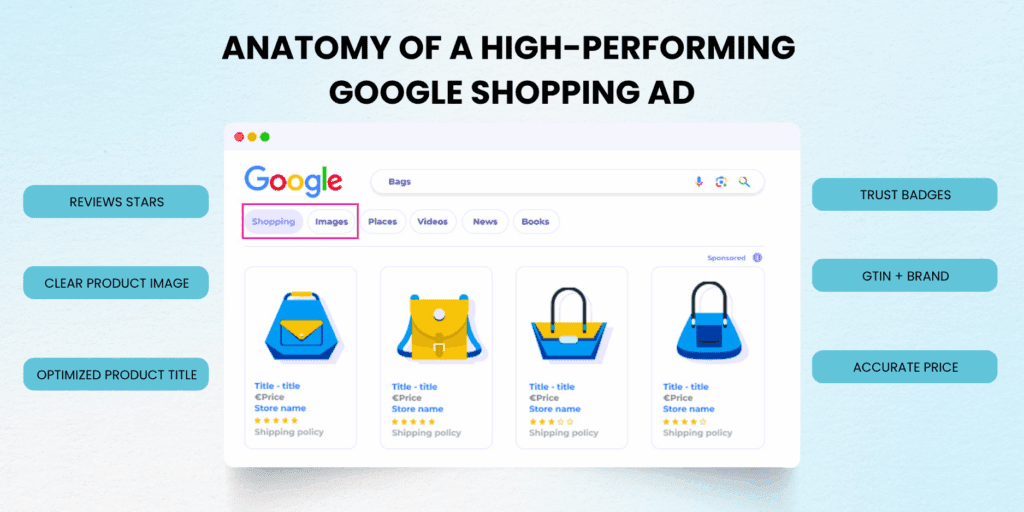
Optimized Google Shopping ad layout with title, GTIN, reviews, and structured data

Anatomy of a Perfect Product Listing

Title: Front-loaded keywords + Brand + Key attributes (Color, Size, Material)

Image: High-resolution product shot, white background, mobile-optimized dimensions

Price: Competitive pricing with clear currency display.

Seller Info: Business name with positive review ratings,

Trust Badges: Review stars, shipping information, and return policy indicators

Transform Your Shopping Performance With Expert Google Shopping Optimization Tips

Google Shopping optimization isn't a set-it-and-forget-it process; it's an ongoing competitive advantage that compounds over time. While your competitors struggle with disapproved products and wasteful broad targeting, you now have the strategic framework to dominate Shopping results profitably.

These 13 optimization tactics represent years of testing across millions in ad spend, distilled into actionable strategies that deliver measurable results. From feed quality fundamentals to advanced scaling techniques, each element builds upon the others to create Shopping campaigns that consistently outperform market averages.

The difference between struggling ecommerce brands and those that thrive with Google Shopping optimization tips often comes down to systematic implementation rather than sporadic improvements. Success requires treating your product feed as a strategic asset, your campaign structure as a profit optimization system, and your optimization efforts as competitive intelligence gathering.

Every day you delay implementing these strategies means leaving money on the table while competitors capture your potential customers. The brands winning with Shopping ads aren't necessarily those with better products—they're the ones with better optimization systems.

Ready to transform your Shopping campaigns from a budget drain to a profit engine? Our proven Google Shopping optimization tips have helped hundreds of ecommerce brands achieve sustainable growth and industry-leading ROAS.

Need Expert Help Optimizing Your Google Shopping Feed or Scaling Your Campaigns?

Don't let technical complexity or time constraints prevent you from implementing these profit-driving optimizations. Our team has refined these Google Shopping optimization tips across every ecommerce vertical, and we're ready to apply them to your unique business challenges.

Book a Free Ecommerce Ads Audit with PA Digital Growth and discover exactly which optimizations will deliver the highest ROI for your Shopping campaigns. We'll identify hidden profit opportunities in your current setup and provide a customized roadmap for sustainable scaling.

Transform your Shopping performance today; your competitors won't wait, and neither should you.

Additional Resources:


Frequently Asked Questions

How Do You Rank Higher in Google Shopping Results?

Google Shopping rankings depend on bid competitiveness, product feed quality, and merchant account trust signals. Higher bids increase visibility, but feed optimization and positive customer feedback provide sustainable ranking improvements.

Focus on complete product data (titles, GTINs, categories), competitive pricing, and excellent customer service to build algorithmic trust that supports long-term ranking improvements beyond bid-based visibility.

What's the Difference Between Smart Shopping and Performance Max Campaigns?

Google deprecated Smart Shopping in favor of Performance Max, which offers broader reach across YouTube, Gmail, and Discover in addition to Shopping and Display networks. Performance Max provides less granular control but potentially higher reach for suitable product catalogs.

Standard Shopping campaigns still offer the most detailed performance insights and bid control options for merchants requiring precise optimization and reporting capabilities.

Does Adding GTIN Improve Shopping Ad Performance?

Valid GTINs are required for most branded products and significantly improve ad performance by enabling better product matching and enhanced ad formats. Products with GTINs show 15-25% higher impression share compared to identical products without valid identifiers.

GTINs also unlock Google's automatic price comparison features and product review integration, both of which improve click-through rates and conversion potential.

How Often Should You Update Your Product Feed?

Real-time feed updates via API integration provide optimal performance by ensuring price and availability accuracy. Manual feed uploads should occur at least daily for active inventory, with immediate updates for significant price changes or stock outages.

Outdated feed information triggers automatic disapprovals and reduces Google's trust in your merchant account, leading to decreased impression share across all products.

Can You Run Shopping Ads Without a Website?

Shopping ad destinations, though you can advertise marketplace products through your own website.

The landing page experience directly impacts Quality Score and conversion rates, making website optimization crucial for Shopping campaign success.

Smart Bidding Strategies for Online Stores: Use AI to Boost ROAS Without the Guesswork

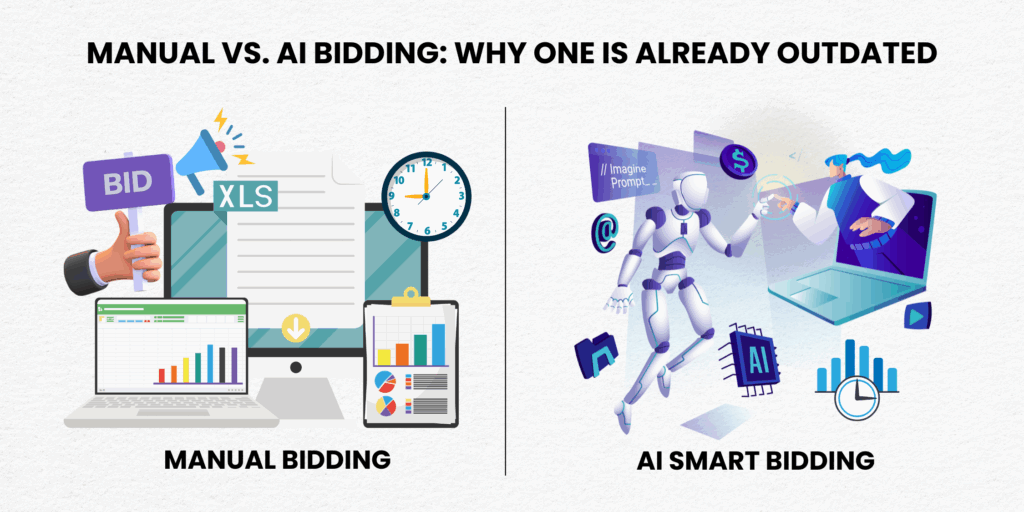
Manual bidding is draining your budget and burning out your team. Every day spent tweaking bids manually is another day competitors gain ground with smart bidding strategies for online stores that work around the clock.

Google's AI bidding systems have evolved beyond basic automation. These intelligent algorithms now process over 70 million signals per auction, making bid decisions that human marketers simply cannot match in speed or precision.

The question isn't whether you should adopt automated bidding; it's which smart bidding approach will deliver the highest ROAS for your specific business model and why getting it right can mean the difference between stagnation and explosive growth. Let's dive into the strategies that separate profitable stores from those stuck in manual bidding quicksand.

What Are Smart Bidding Strategies and Why Traditional Bidding Falls Short?

Smart bidding strategies for online stores represent Google's machine learning algorithms automatically setting bids for your Shopping campaigns based on conversion likelihood. Unlike manual cost-per-click (CPC) bidding, these systems analyze real-time auction data, user behavior patterns, and contextual signals to optimize every bid.

Traditional manual bidding requires constant monitoring, keyword-level adjustments, and guesswork about optimal bid amounts. Most store owners spend 10-15 hours weekly on bid management, yet still see declining ROAS as competition intensifies and auction dynamics shift.

AI bidding eliminates this manual fatigue while processing signals humans cannot detect. The system evaluates device type, location, time of day, browsing history, and hundreds of other factors within milliseconds of each auction.

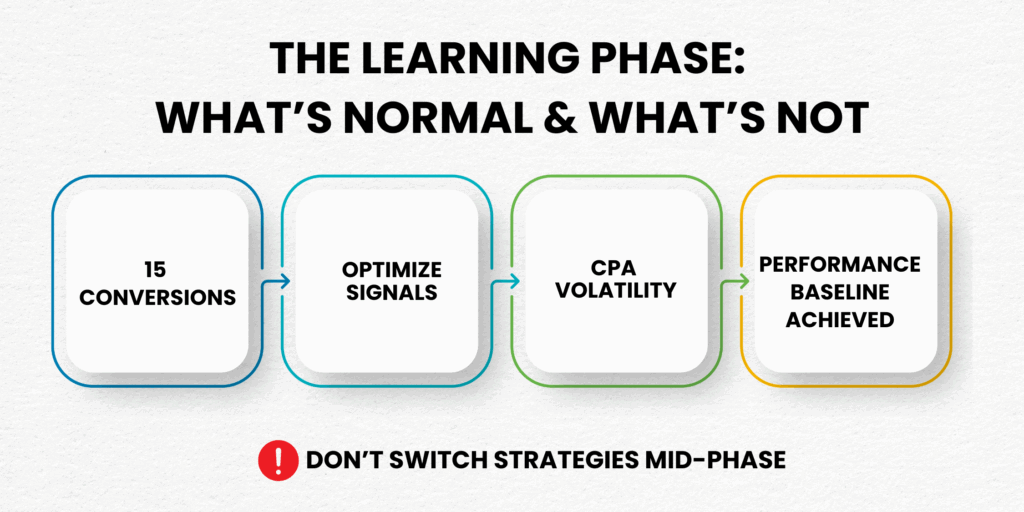
The learning phase typically requires 15-30 conversions over 30 days to establish performance baselines. During this period, your campaigns gather data that becomes increasingly valuable for bid automation accuracy.

When Maximize Conversions Strategy Drives Volume for Growing Stores

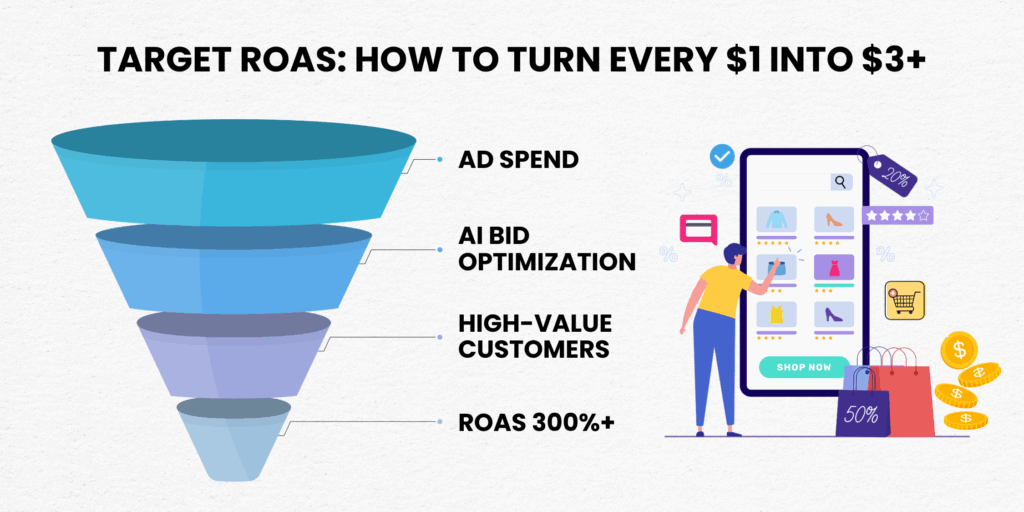
Target ROAS (Return on Ad Spend) tells Google how much revenue you want to earn for every dollar spent on ads. It's a powerful Smart Bidding strategy that works especially well for ecommerce brands with clear profit margins and predictable conversion values.

This bid strategy automatically adjusts your CPCs to maximize total conversion value, favoring high-revenue purchases while trimming spend on less profitable clicks. That means more ROI without constantly adjusting bids manually.

Want to understand how this really works? Here’s how Google Ads defines and calculates ROAS.

Before launching, it’s crucial to base your target ROAS on net profit margins, not just gross revenue. For example, if your average order value is $100 and your net profit margin is 40%, start with a 250–300% ROAS target. This gives Google’s algorithm enough room to learn and scale.

During the learning phase, Google will increase bids for searchers likely to exceed your ROAS target and lower bids where profit potential is weaker. Over time, this algorithmic optimization leads to smarter scaling and lower wasted spend.

Pro tip: Start slightly below your ideal ROAS target to build data. Then, once your campaign exits the learning phase (usually after 50+ conversions), gradually raise the target by 25–50% every two weeks to improve performance without destabilizing results.

Target ROAS performs best when your store has:

Maximize conversions strategy focuses on generating the highest number of conversions within your daily budget constraints. This approach excels during growth phases when increasing customer acquisition takes priority over immediate profit optimization.

The algorithm distributes your budget across the highest-converting opportunities throughout the day. Unlike target ROAS, this strategy doesn't limit spending based on conversion value; it pursues all profitable conversions within budget parameters.

This AI-driven bidding strategy particularly benefits stores launching new products, expanding into new markets, or scaling successful campaigns. The increased conversion volume accelerates the learning phase for other campaign elements like audience insights and product performance data.

Budget management becomes crucial to maximize conversions. Set realistic daily budgets that align with your cash flow, as the system will attempt to spend your entire budget pursuing conversions.

To get the most from Maximize Conversions, your feed quality and product visibility need to be strong from the start. If your product ads are struggling to show or convert, explore these Google Shopping optimization tips to fix disapprovals, enhance feed performance, and boost CTR before scaling bids.

At PA Digital Growth, we've seen stores achieve 40-60% increases in conversion volume using this approach when launching new product lines, testing market demand, building conversion history for other automated bidding strategies, or prioritizing market share growth over immediate profitability.

Enhanced CPC vs. Full Smart Bidding: Finding Your Optimal Automation Level

Enhanced CPC (eCPC) represents a hybrid approach between manual control and full automation. Google adjusts your manual bids up or down by up to 30% based on conversion likelihood, maintaining some human oversight while adding algorithmic intelligence.

eCPC works well for stores transitioning from manual bidding or those with limited conversion data. You retain control over maximum bid limits while benefiting from Google's auction-time optimizations through bid automation.

Full algorithmic bidding strategies like target ROAS and maximize conversions remove bid caps and manual constraints. The system can adjust bids dramatically based on conversion signals, sometimes bidding 300-500% above your manual estimates for high-value opportunities.

The choice depends on your risk tolerance and conversion volume. Stores with fewer than 30 monthly conversions often perform better with eCPC initially, building data for eventual AI bidding migration.

According to Google's machine learning research, most successful stores graduate from eCPC to full automated bidding within 3-6 months as conversion volume and confidence in algorithmic performance increase.

Smart Bidding Learning Phase: What to Expect and How to Accelerate Success

The learning phase represents Google's algorithm gathering performance data to optimize your AI bidding campaigns. This period typically lasts 7-14 days but can extend to 30 days for campaigns with limited conversion history.

During the learning phase, expect increased cost-per-acquisition (CPA) volatility and potentially higher spending as the system tests different bid levels. Performance fluctuations are normal; avoid making strategy changes during this critical data-gathering period.

Accelerate the learning phase by ensuring sufficient budget allocation, maintaining consistent campaign settings, and feeding the algorithm quality conversion data. Campaigns receiving 15+ conversions weekly typically complete the learning phase faster.

Monitor key learning phase indicators: impression share fluctuations, average CPC changes, and conversion rate variations. These metrics normalize as the algorithm establishes performance baselines.

Our Google Ads management services at PA Digital Growth help clients navigate learning phase challenges while maintaining profitable growth throughout the optimization period.

Bid Automation Advanced Tactics: Portfolio Strategies and Cross-Campaign Optimization

Portfolio bid strategies apply single AI bidding targets across multiple campaigns, creating unified optimization goals for related product groups or market segments. This approach particularly benefits stores with seasonal products or complementary product lines.

Cross-campaign data sharing improves algorithmic bidding speed and accuracy. When one campaign generates conversion insights, the portfolio strategy applies these learnings across all included campaigns, accelerating optimization for newer or lower-volume campaigns.

Create portfolios based on: similar profit margins, comparable customer lifetime values, seasonal buying patterns, or geographic market segments. Avoid mixing campaigns with vastly different business objectives or conversion values.

Advanced users implement dynamic remarketing campaigns within portfolio strategies, using customer behavior data to inform bid automation decisions across acquisition and retention campaigns simultaneously.

Shopify's ecommerce marketing insights show that portfolio strategies require careful performance monitoring at both individual campaign and aggregate levels. Use Google Ads' portfolio reporting tools to identify which campaigns contribute most effectively to overall strategy performance.

Measuring Smart Bidding Success: KPIs Beyond Basic ROAS Calculations

Smart bidding success extends beyond surface-level ROAS metrics. Focus on incremental revenue attribution, customer lifetime value improvements, and efficiency gains in campaign management time investment.

Track conversion lag patterns to understand how AI bidding affects your sales cycle. Many stores see improved conversion quality (higher average order values) even when total conversion volume initially decreases during optimization.

Monitor impression share metrics to ensure automated bidding doesn't limit your campaign reach. Lost impression share due to budget constraints indicates opportunities for budget reallocation or strategy adjustments.

Customer acquisition cost (CAC) trends reveal AI bidding's impact on business growth and sustainability. Calculate blended CAC across all marketing channels to understand how improved Google Ads efficiency affects overall marketing ROI.

Our ecommerce marketing analytics team at PA Digital Growth tracks advanced metrics including: view-through conversion attribution, assisted conversion values, multi-channel funnel analysis, and customer cohort performance comparisons between manual and automated bidding periods.

You can also explore our Google Ads for eCommerce: The Ultimate ROI Guide to Smarter Growth & Lower CAC

Common Smart Bidding Pitfalls and How Savvy Store Owners Avoid Them

The biggest algorithmic bidding mistake involves an insufficient conversion tracking setup. Incomplete or inaccurate conversion data leads to poor algorithmic decisions and wasted ad spend. Ensure your Google Analytics 4 and Google Ads conversion tracking captures all meaningful customer actions.

Budget constraints frequently limit AI bidding effectiveness. These strategies require flexible spending authority to capitalize on high-value opportunities. Setting daily budgets too conservatively prevents the algorithm from bidding competitively during peak conversion periods.

Premature strategy switching undermines learning phase progress. Store owners often panic during optimization volatility and switch strategies before the system establishes performance baselines. Maintain consistent strategies for a minimum 30-day period unless fundamental business changes occur.

Unrealistic target ROAS setting creates algorithm confusion. Setting target ROAS goals that exceed historical performance by 200%+ forces the system into overly conservative bidding that limits reach and conversion opportunities.

According to Google Ads Help documentation, successful smart bidding requires patience, proper tracking foundation, realistic goal setting, and sufficient budget flexibility to capitalize on algorithmic insights.

Need help avoiding these costly mistakes? Our team at PA Digital Growth has helped hundreds of online stores successfully implement AI bidding without the common pitfalls. Schedule a free Google Ads audit to discover optimization opportunities specific to your store's performance data.

Integration with Google Shopping: Maximizing Smart Bidding for Product Campaigns

Google Shopping campaigns benefit enormously from AI bidding, particularly when combined with optimized product feeds and strategic campaign structures. The visual nature of Shopping ads provides additional conversion signals that enhance algorithmic bidding accuracy.

Product-level bidding granularity allows bid automation to identify your highest-performing items and allocate budget accordingly. This creates a natural inventory optimization system that promotes profitable products while reducing spend on poor performers.

Seasonal product campaigns require careful, smart bidding strategy selection. Use maximize conversions during peak seasons to capture maximum market share, then switch to target ROAS during slower periods to maintain profitability.

Our Google Shopping optimization guide demonstrates how Shopping campaign optimization works synergistically with AI bidding. Clean product feeds with accurate GTINs and detailed attributes provide the algorithm with richer data for conversion predictions.

Consider implementing separate automated bidding strategies for different product categories based on profit margins and competition levels. Electronics might require aggressive target ROAS settings, while accessories could benefit from maximizing conversion approaches.

Future-Proofing Your Smart Bidding Strategy: Preparing for Google's AI Evolution

Google continues enhancing AI bidding with privacy-focused signals as third-party cookies phase out. First-party data integration becomes increasingly valuable for maintaining algorithmic bidding accuracy in a cookieless future.

Value-based bidding represents the next evolution, where algorithms optimize for customer lifetime value rather than immediate conversion values. Stores investing in customer data platforms and lifetime value modeling will gain significant competitive advantages.

Cross-platform signal sharing between Google Ads, Analytics, and other Google services will improve bid automation accuracy. Ensure your measurement strategy captures comprehensive customer journey data across all touchpoints.

Google's AI research developments show machine learning model improvements arrive quarterly through Google's algorithm updates. Stay informed about new smart bidding features and testing opportunities through official Google Ads announcements and beta program participation.

PA Digital Growth helps stores implement and optimize these powerful AI tools while preparing for future developments in digital advertising automation.

Ready to Transform Your Store's Performance with Smart Bidding?

Smart bidding strategies for online stores represent the difference between reactive campaign management and proactive growth acceleration. The stores winning in 2025 have already embraced AI bidding to eliminate manual guesswork and maximize every advertising dollar.

Your competitors are gaining ground every day you delay implementing these strategies. The learning phase data you could be collecting today becomes tomorrow's competitive advantage in increasingly sophisticated digital markets.

The path forward is clear: establish proper conversion tracking, select the appropriate automated bidding strategy for your business goals, and allow the algorithm sufficient time and budget to optimize your campaigns through bid automation.

Ready to implement smart bidding strategies for online stores that actually move the needle for your business?

Contact PA Digital Growth today for a comprehensive Google Ads audit and AI bidding strategy consultation. Let's turn your advertising spend into predictable, profitable growth.

Additional Resources:

Frequently Asked Questions

What are the best Smart Bidding strategies for online stores?

The most effective Smart Bidding strategies for online stores include Target ROAS, Maximize Conversion Value, and Maximize Conversions. Each uses Google’s machine learning to automate bids based on real-time auction signals, helping ecommerce brands boost ROAS without constant manual adjustment.

How does Target ROAS work for ecommerce brands?

Target ROAS (Return on Ad Spend) automatically adjusts your bids to achieve your desired revenue-per-dollar goal. It analyzes past conversions, device data, and customer behavior to bid higher for users likely to purchase at high value, making it ideal for stores with consistent margins.

When should you use Maximize Conversions vs. Target ROAS?

Use Maximize Conversions when launching a new campaign or gathering initial data. Switch to Target ROAS once your account has consistent conversion volume and clearly defined profit margins. This phased approach gives Google’s algorithm enough data to optimize bids effectively.

Can Smart Bidding improve performance for small ecommerce stores?

Yes, Smart Bidding can benefit smaller online stores if they meet the conversion threshold. To see meaningful results, your campaign should ideally have at least 30–50 conversions per month. Otherwise, the algorithm may struggle to learn and optimize.

How long is the learning phase for Smart Bidding campaigns?

The learning phase typically lasts 7 to 14 days, depending on your budget and daily conversion volume. During this time, performance may fluctuate. Avoid making major changes, like budget shifts or bid strategy edits, until the algorithm completes learning.

What are the common mistakes brands make with Smart Bidding?

Top mistakes include setting unrealistic ROAS targets, changing bid strategies too frequently, ignoring feed quality, and underfunding campaigns. Smart Bidding needs consistent data and patience to perform; rushed changes can derail optimization.

Does Smart Bidding work for high-ticket or luxury ecommerce?

Yes, but with caveats. For high-ticket products, Target CPA or Target ROAS may perform better than Maximize Conversions. Ensure that your conversion tracking is accurate and your budget is high enough to gather statistically significant data.

How do I know if my Smart Bidding campaign is working?

Monitor metrics like ROAS, cost per conversion, and click-through rate (CTR). Also, review the Bid Strategy Report in Google Ads to track performance changes. Over time, you should see steadier CPCs and improved conversion efficiency.

Can I manually adjust bids while using Smart Bidding?

No. Smart Bidding automates bidding in real-time based on dozens of signals. However, you can influence bidding with campaign-level adjustments, like geo-targeting, dayparting, and audience layering, to improve strategy control without overriding automation.

What’s the best way to test Smart Bidding strategies in Google Ads?

Use drafts and experiments in Google Ads to A/B test Smart Bidding strategies like Target ROAS vs. Maximize Conversions. Set clear goals and run tests for at least 2–4 weeks to allow sufficient data collection and statistical significance.

Google Ads for eCommerce: The Ultimate ROI Guide to Smarter Growth & Lower CAC

What if every dollar you spent on ads could return up to $8 in revenue? That's the real potential of Google Ads, an 800% ROI, according to Google's own conservative estimates, when campaigns are set up strategically with Google Shopping Ads, Performance Max, and proper conversion tracking. Yet, e-commerce brands often fall short, especially when budget burns are driven by misaligned campaign types, poor attribution setup, or unchecked ad spend.

Businesses that treat Google Ads for eCommerce as a science, not a set-it-and-forget-it tactic, see transformative outcomes. The average ROAS across online stores is around 2.87:1, but the most optimized campaigns routinely break 4:1 or higher, turning ad spend into scalable profit. If you’re struggling with low ROAS, siloed campaigns, and unclear Performance Max results, you’re in the right place. This guide will walk you through proven strategies that reduce Customer Acquisition Cost, lower churn, and turn your ad budget into long‑term growth.

Why Google Ads Still Dominates for eCommerce Growth

Visual showing which eCommerce businesses benefit most from Google Ads for eCommerce

Despite the rise of TikTok, Meta Ads, and influencer campaigns, Google Ads remains the backbone of performance marketing for serious eCommerce brands. Why? Because no other ad platform taps directly into buy-ready, bottom-of-funnel intent the way Google does. When someone types “buy eco-friendly yoga mat” into Google, they’re not just browsing; they’re ready to purchase.

And that’s the game-changer. With tools like Google Shopping Ads, Performance Max campaigns, and product listing ads (PLAs), online retailers can appear exactly when shoppers are ready to buy. That level of intent, combined with real-time conversion tracking and campaign automation, makes Google Ads an essential weapon for brands that want scalable, measurable results.

Are Google Ads Worth It for eCommerce?

Absolutely. But only if you’re running them right.

The biggest misconception eCommerce founders face is that Google Ads is “too expensive” or “not working.” In reality, it’s not that the platform is broken; it’s the strategy that’s under-optimized. According to a recent Google report, businesses earn $8 in profit for every $1 spent when their ads are properly targeted and conversion-optimized.

And with the evolution of Performance Max campaigns, brands now get access to real-time bidding, AI-driven creative, and omnichannel reach across Search, Shopping, YouTube, and Gmail, without needing to manage multiple campaigns. For Shopify and DTC stores, it’s a powerful way to get more clicks, conversions, and returns without spreading yourself thin.

If you're wondering whether Google Ads is still the best place to spend your ad dollars, you're not alone. Let’s look at what matters most: Return on Ad Spend (ROAS) and Customer Acquisition Cost (CAC).

PlatformAvg. ROASAvg. CACBuyer IntentAd Format Strength
Google Ads3.1:1MediumHigh (search-based)Shopping Ads, PMax, Search
Meta Ads2.5:1Low–MedMedium (interest-based)IG Reels, Carousel, Video
Amazon Ads4.0:1HighHigh (marketplace-driven)Sponsored Products, Display

While Amazon Ads may offer higher ROAS in some verticals, the cost to compete can be brutal, and only works if you sell directly on Amazon. Meta Ads are great for brand awareness, but struggle with purchase intent and rising CPMs.

Google Ads strikes the sweet spot: powerful buyer intent, flexible targeting, and ad formats built for DTC and Shopify brands.

Want deeper insight? This HubSpot ad ROI benchmark study breaks down performance by platform and industry, worth a look if you're debating where to scale.

Let’s cut through the theory and look at what’s really happening in eCommerce ad accounts.

Across our client base at PA Digital Growth, we’ve seen optimized Google Ads campaigns consistently deliver 2.8x to 5.6x ROAS within 60 days of restructuring, from chaotic setups to conversion-driven funnels. In one campaign, a DTC home goods brand scaled from $4k/month in ad spend to $20k/month, while lowering CAC by 32%.

And the data backs it up:

What does this mean for you? It means Google Ads still works, but only if you’re tracking the right metrics, optimizing consistently, and tailoring your campaigns to your product margins.

Next Up: We'll break down the best campaign types you should use right now (and which ones to avoid) if you're running an e-commerce store.

Who Should and Shouldn’t Use Google Ads for eCommerce?

It’s tempting to believe that if you run an online store, you should be running Google Ads. But here’s the reality: not every eCommerce business is built to profit from paid traffic, especially not from day one. Google Ads for eCommerce delivers incredible ROI when your business model, product margins, and fulfilment systems are aligned. If they’re not, you could be flushing money down the drain.

Visual showing which eCommerce businesses benefit most from Google Ads for eCommerce

This section will help you determine whether Google Ads is a smart move for your brand right now, or whether you should hold off and optimize other areas first.

Best-Fit Business Models: DTC, Subscription, High-AOV Brands

Google Ads thrives when your Customer Lifetime Value (LTV) outweighs your Customer Acquisition Cost (CAC), and that starts with selling the right types of products. If you run a direct-to-consumer (DTC) store, subscription-based brand, or sell high average order value (AOV) items, you’re in a strong position to scale profitably.

Why? Because:

For example, a Shopify store selling premium cycling gear at $200/order can absorb a $40–$50 CAC and still remain profitable, especially when using Performance Max campaigns with strong product feeds and retargeting ads.

If that sounds like your brand, you’re ready to go full throttle with Google Ads.

Scenarios Where Google Ads May Not Be the Right Fit

On the flip side, there are business types where Google Ads often underperforms, or becomes too expensive too quickly.

If any of these apply to your business, proceed with caution:

Google Ads is a scaling tool, not a magic wand. If your store isn’t converting organically, running ads won’t fix that. In fact, it’ll magnify the leaks in your funnel.

We’ve seen stores burn through $2,000–$5,000 in ad spend with nothing to show for it, all because they pushed traffic to unoptimized pages with weak product messaging, slow load times, or zero trust signals.

Dropshippers & New Store Owners, What You Must Know First

If you’re dropshipping or running a brand-new Shopify store, Google Ads can feel like the fastest path to traction. But before you dive in, here’s the hard truth:

If your store doesn’t already convert, Google Ads won’t save you; it’ll expose the gaps.

That’s why we recommend testing your funnel with organic traffic or low-budget retargeting ads first. Use tools like Google Analytics, Hotjar, and Shopify Reports to answer key questions:

If the answer is yes, then you can safely begin testing Google Ads with tight targeting and a limited budget, ideally starting with Shopping Ads or a lean Performance Max campaign. But if the answer is no, fix your conversion foundations first, or your ad spend will become a monthly regret.

Next Up: We’ll break down the Google Ads campaign types that actually work for eCommerce, and which ones to avoid.

Not all Google Ads campaigns are created equal, especially for e-commerce. Running the wrong type of campaign is one of the fastest ways to burn through budget without seeing results. To truly scale with Google Ads for eCommerce, you need to match the right ad format to your funnel stage, product type, and purchase intent.

Let’s break down the three most powerful campaign types that consistently drive conversions for Shopify, WooCommerce, and DTC brands.

Funnel showing how Performance Max, Shopping Ads, and Retargeting drive eCommerce sales

Performance Max Campaigns, Pros, Cons, and Best Use Cases

If you’ve felt overwhelmed by the number of ad types Google offers, Performance Max (PMax) might sound like a blessing, and for many brands, it is.

Performance Max campaigns combine the best of Smart Shopping, Dynamic Search Ads, Display, YouTube, Gmail, and Maps, all under one campaign. Powered by Google’s machine learning, it automatically serves your ads across all networks, using real-time data to optimize toward your most valuable conversions.

Why eCommerce brands love PMax:

But here’s the catch: Performance Max, while powerful, can be opaque. You won’t get detailed data on keyword triggers or channel-level performance. This means if you don’t have proper conversion tracking and audience signals in place, you’re essentially flying blind.

Best Use Cases:

Need expert help launching or optimizing your PMax campaigns?
Explore our Google Ads Management Services and see how we reduce CAC and boost ROAS through smart segmentation and feed optimization.

Search & Shopping Ads: What They Are & When to Use Them

Search Ads are the OG of Google Ads, text-based ads triggered by keywords. They’re perfect when your product solves a known problem (e.g., “best protein powder for women”) and you want to drive traffic to a high-converting product or landing page.

Shopping Ads, on the other hand, pull data directly from your Google Merchant Center. They show up as product images, prices, and reviews right in the search results. These are high-intent, low-friction ad formats perfect for eCommerce.

When to use each:

Together, they cover both exploratory and purchase-ready intent. For many Shopify brands, starting with a manual Shopping campaign before moving to Performance Max is the smartest way to gain control and data clarity.

And yes, Google Ads is excellent for Shopify and online stores when product feeds are properly set up and campaign types are chosen based on your margin, inventory, and funnel goals.

Retargeting with Display & YouTube to Recover Lost Carts

Ever had someone visit your store, add to cart… and disappear?

That’s where retargeting campaigns shine. Using Google’s Display Network and YouTube Ads, you can bring those potential buyers back with compelling visual reminders.

Here’s how it works:

  1. A shopper clicks on your Shopping Ad or Search Ad.
  2. They visit your product page, maybe even start checkout, but don’t buy.
  3. Over the next 3–7 days, they start seeing your brand again via Display Ads on news sites or YouTube bumpers.
  4. You offer a timely nudge: a limited offer, free shipping, or social proof.

This full-funnel strategy lowers CAC, increases LTV, and makes the most of your initial ad spend.

Google’s own case studies show that remarketing can improve ad engagement by up to 400%, especially when layered with dynamic product ads that show the exact item a shopper viewed.

Want to learn more about campaign types? Check out the Google Ads campaign format guide for the official breakdown.

Next Up: In the next section, we’ll tackle what you really want to know:
How much should you spend on Google Ads, and what return can you expect?

Budgeting for Google Ads can feel like throwing darts in the dark, especially when every platform claims success is just one campaign away. But in reality, how much you spend on Google Ads for e-commerce should be based on your margins, your conversion rates, and your customer acquisition goals, not guesswork.

Here’s how to think strategically about budget planning and what kind of returns you can realistically expect at different spend levels.

Budget comparison for Google Ads for eCommerce from $5 to $1000 per month

Budget Benchmarks: $5/Day, $20/Day, $1,000/Month, What Happens at Each Tier

Let’s address one of the most Googled questions in eCommerce advertising: Is $5/day enough to run Google Ads?

Technically, yes, but practically, it’s a test, not a growth strategy. At $5–$10/day, you’re collecting data, validating your funnel, and observing whether product listing ads generate impressions. Expect around 150–250 impressions/day with minimal conversions unless your store is already well-optimized.

At $20–$50/day, you start to build campaign momentum. This range supports Shopping Ads or lean Performance Max campaigns with a few SKUs, enough to test bidding strategies and audience signals. If your conversion rate is 2%, and your cost-per-click (CPC) is $0.50, you could see one sale for every $25–$30 spent.

Brands spending $1,000/month or more enter scale mode. At this level, you can segment campaigns by product type, margin, and funnel stage. You’ll also gather enough data to optimize target ROAS, enable conversion tracking, and use retargeting ads to recover abandoned carts.

The key takeaway: Google Ads for e-commerce rewards consistent spend, not random bursts. Start small if needed, but scale intentionally once your store proves conversion viability.

Estimating Profitability: CAC, ROAS, and Break-Even Spend Formulas

Before you increase your ad budget, you need to know your numbers. Specifically, your Customer Acquisition Cost (CAC), Return on Ad Spend (ROAS), and break-even thresholds.

Here’s a simple framework:

Let’s say you sell a $100 product with a 60% gross margin. Your break-even ROAS would be 1 ÷ 0.6 = 1.67. That means for every $1 spent on Google Ads, you must generate at least $1.67 in revenue to avoid losing money.

With Google Ads for e-commerce, these numbers drive your decisions, when to scale, when to optimize, and when to pause.

What’s a ‘Good’ Budget for Your Business Type and AOV?

There’s no one-size-fits-all number. Your ideal budget depends on your average order value (AOV), product category, and growth stage.

The goal isn’t just to spend, it’s to spend profitably. Once you hit your break-even ROAS, reinvesting a portion of your daily revenue into Google Ads for e-commerce can accelerate compounding growth.

Next Up: Let’s look at the most common mistakes that destroy eCommerce ROAS, and how you can avoid them before they cost you thousands.

The Most Common Mistakes That Kill ROAS (And How to Avoid Them)

If you’ve ever looked at your ad account and wondered, “Why is my ROAS so low?”  you’re not alone. For many online retailers, the issue isn’t that Google Ads for e-commerce doesn’t work… It’s because it hasn’t been set up or optimized correctly.

Here are the most common (and expensive) mistakes we see eCommerce brands make, and exactly how to fix them before they bleed your budget dry.

Visual of common Google Ads mistakes that reduce ROAS in eCommerce campaigns

Misaligned Campaign Goals (The Performance Max Trap)

Performance Max is one of Google’s most powerful campaign types, but also one of the easiest to misuse. Many eCommerce brands make the mistake of launching a PMax campaign using Google’s default settings, hoping that automation will deliver conversions on autopilot.

The problem? Without proper asset groups, audience signals, and custom conversion goals, Google’s AI can push your budget toward brand terms or low-quality placements. You end up paying for traffic you already would’ve received, or worse, irrelevant clicks that never convert.

If you’re running Google Ads for e-commerce without a manual setup strategy, you’re leaving performance up to guesswork.

Fix it by:

A smart Performance Max setup can 2x or 3x ROAS, but a lazy one will quietly burn thousands.

Poor Conversion Tracking Setup = Bad Data = Bad Decisions

You can’t optimize what you can’t measure. And yet, a shocking number of eCommerce stores are running Google Ads for e-commerce without accurate tracking.

Here’s what happens: a brand runs a $2,000 campaign, gets sales… but their conversion actions aren’t configured correctly in Google Tag Manager or GA4. Google optimizes based on clicks and bounce rates, not purchases. You think the campaign isn’t working, when in fact you’re just flying blind.

If you're not using server-side or enhanced conversions or haven’t validated tracking with Google’s Tag Assistant, you’re basing decisions on broken signals.

The fix: work with an expert to audit and configure your GA4 + Tag Manager stack. Proper event tagging, attribution models, and funnel tracking will radically improve ad decision-making.

Need help with this? Our Conversion Tracking Services ensure every dollar spent on Google Ads drives measurable ROI. Schedule A Call With Us Today

Overbidding, Broad Targeting & Ad Fatigue Wasting Your Budget

Google is happy to spend your money. If your bids are too high, your targeting is too broad, or your creative hasn’t been refreshed in months, you’re likely wasting a big chunk of your budget.

Common signs?

To fix this, you need campaign segmentation. That means breaking down your Google Ads strategy by:

And don’t forget about creative fatigue. Google Display and YouTube ads can go stale fast. Refresh headlines, swap images, and rotate offers every 3–4 weeks to keep engagement (and ROAS) high.

Next Up: Now that you’ve avoided the landmines, let’s talk strategy, how to optimize your Google Ads for e-commerce campaigns for profitable scale.

Struggling with low ROAS from Google Ads for e-commerce?

If your campaigns are costing more than they convert, it’s time for a second opinion.

Get a free expert ad account audit, and we’ll pinpoint wasted spend, poor campaign structure, and products dragging down your ROI. Book My Free Google Ads Audit 

Proven Optimization Strategies for Scaling eCommerce Ads

Once your campaigns start generating consistent conversions, the next challenge is scale. But scaling Google Ads for e-commerce isn’t just about spending more; it’s about optimizing every component of your funnel to keep ROAS high while increasing revenue.

Here are three advanced strategies that separate ad accounts that plateau… from those that scale to $100K+ months profitably.

Structure Campaigns by Product Margins or Funnel Stage

One of the most overlooked levers in Google Ads optimization is campaign structure. Too many eCommerce brands lump all products into a single Performance Max or Shopping campaign, without considering margins, product lifecycle, or buying intent.

A smarter approach? Segment campaigns based on margin tiers or funnel stages.

For example:

This structure allows you to allocate budget more precisely and optimize bids based on profitability, not just volume. You can also monitor performance by category, season, or buyer intent, then adjust your spend accordingly.

Pro tip: Use consistent naming conventions like [Product Category] – [Campaign Type] – [Objective] to stay organized as you scale.

Leverage Google’s Smart Bidding with Manual Overrides

Google’s Smart Bidding strategies have become increasingly effective thanks to machine learning. But leaving everything to automation isn’t always the best move, especially for brands running Google Ads for e-commerce with specific profit goals.

Here’s a breakdown of when to use each bidding strategy:

The key is to pair Smart Bidding with manual campaign structures. Don’t let Google group everything together. Guide it with segmented campaigns and clean conversion data.

Boost ROAS with CRO Tactics: From Ad Click to Checkout

Even the best-optimized ad campaign can’t save a broken landing page. That’s why conversion rate optimization (CRO) is a critical piece of the scaling puzzle. When you improve what happens after the click, your cost-per-acquisition drops, and your ROAS climbs.

To improve performance across your Google Ads for e-commerce funnel:

Every 1% increase in your conversion rate can unlock a 10–15% improvement in ROAS, without changing your ad budget.

Next Up: Now that your campaigns are structured and optimized, how do you actually know if they’re working, and when it’s time to scale?

How to Measure Google Ads Success (And Know When to Scale)

Running ads is easy. Knowing whether they’re actually working? That’s where most eCommerce brands struggle. You can't rely on surface metrics or gut feeling, especially when you're investing real budget in Google Ads for e-commerce. What you need is clear visibility into the right performance signals, the ability to track them accurately, and a framework to know when it’s time to scale or stop.

Decision-making flowchart for scaling or pausing Google Ads for eCommerce

Core Metrics: ROAS, AOV, CTR, CAC, LTV, Bounce Rate

If you’re not tracking these six metrics consistently, you’re making decisions in the dark:

Pro tip: Always pair CTR with bounce rate. High CTR + high bounce rate? Your ad is attracting attention, but disappointing on delivery.

Attribution Models & Tracking Accuracy in GA4

One of the most common mistakes in Google Ads for e-commerce is misattribution, crediting the wrong touchpoint for a sale. That’s why GA4’s data-driven attribution model is a game-changer.

Here's how attribution models affect your performance interpretation:

To make attribution accurate, you must have conversion tracking set up properly in GA4 and Tag Manager. That includes enhanced conversions, server-side tagging if possible, and clearly defined goals (purchases, form fills, add-to-cart actions).

Once you trust your data, scaling becomes a strategy, not a gamble.

When to Scale Budget - And When to Pause or Pivot

Scaling isn’t just about increasing the budget. It’s about increasing budget intelligently, based on performance signals that indicate momentum, not hope.

Here’s a simple decision framework:

Green Lights to Scale:

Yellow Flags: Proceed with Caution

Red Flags: Pause or Pivot

The smartest brands using Google Ads for e-commerce scale incrementally, by 10–20% every 7–10 days, while closely monitoring core KPIs.

Next Up: Let’s bring everything together. In the next section, we’ll walk through a simple step-by-step campaign launch plan if you're ready to test Google Ads or want to rebuild your current setup for better results.

Final Thoughts: Your Next Steps to Smarter Google Ads Success

Google Ads for e-commerce isn’t for every brand, but when it’s the right fit, few channels can match its scale, intent, or ROI. If you run a DTC store with solid margins, a high-converting product page, and a clear growth plan, Google Ads can become your most consistent revenue engine.

But success doesn’t come from guesswork. It comes from strategy, segmentation, and sharp tracking. Campaigns that win are structured around real data, ROAS, CAC, LTV, not hopes and assumptions. Brands that scale profitably aren’t the ones who spend the most; they’re the ones who spend the smartest.

If you’re launching campaigns blindly, relying only on Google’s automation, or skipping conversion tracking altogether, you're risking wasted spend and stalled growth. Google Ads for e-commerce is a high-performance machine, but only in the hands of someone who knows how to steer it.

Need expert help scaling profitably?

Our eCommerce Google Ads specialists can audit your ad account, fix tracking issues, and build campaigns that actually convert.
Book your free strategy call with PA Digital Growth today.

Additional Resources:

Frequently Asked Questions

Is Google Ads worth it for eCommerce brands?

Yes, Google Ads is highly effective for eCommerce brands—especially for DTC stores with optimized product pages and healthy profit margins. When campaigns are structured correctly, Google Ads for e-commerce can deliver 3–6x ROAS through Shopping Ads, Performance Max, and strategic retargeting.

How much should I spend on Google Ads for a new eCommerce store?

New eCommerce stores should start with $15–$30 per day on Google Ads to test product-market fit, generate conversion data, and monitor key metrics like ROAS and CAC. Gradual scaling is recommended after consistent results and accurate tracking are in place.

What is a good ROAS for Google Ads in eCommerce?

A good ROAS for Google Ads for e-commerce is typically between 3:1 and 5:1. However, this depends on your gross margin, average order value (AOV), and customer lifetime value (LTV). Use 1 ÷ gross margin % to calculate your break-even ROAS.

Which Google Ads campaign type is best for eCommerce?

Performance Max and Shopping Ads are the most effective campaign types for eCommerce. Performance Max offers automated reach across all Google channels, while Shopping Ads show high-intent users your products, prices, and images directly in search.

How do I improve the ROAS of my Google Ads campaigns?

To improve ROAS, segment campaigns by product profitability, use bidding strategies like Target ROAS, optimize product feeds, and improve landing page performance. Accurate conversion tracking and frequent creative testing are also critical.

Why is my Google Ads campaign not generating sales?

Common issues include poor targeting, broken conversion tracking, irrelevant landing pages, or high bounce rates. For Google Ads for e-commerce to convert, ad intent must match product relevance, and the post-click experience must build trust and urgency.

Can I run Google Ads if I’m dropshipping?

Yes, but success depends on your store’s conversion readiness. Dropshipping brands must offer competitive pricing, trustworthy landing pages, and fast, reliable shipping. Thin margins can make Google Ads risky without strong conversion rates.

How do I set up conversion tracking in Google Ads for eCommerce?

Use Google Tag Manager and GA4 to track purchase events, revenue, and add-to-cart actions. Enable Enhanced Conversions, use server-side tagging if possible, and validate your setup to ensure accurate optimization and bidding.

Should I use Smart Bidding or manual bidding in eCommerce Google Ads?

Smart Bidding strategies like Target ROAS and Maximize Conversions work well when you have 30+ conversions per month. For smaller accounts or new campaigns, manual bidding may give more control and reduce wasted spend early on.

How do I know when to scale my Google Ads budget?

Scale when your ROAS is consistent, CAC is within target, conversion volume is rising, and your campaign structure supports it. Gradual increases of 10–20% every 7–10 days are recommended to avoid performance volatility.